Conversational Architecture & Ideation Hub
Transform Natural Language into Precise Diagrams with Conversational AI
Draft standards-compliant diagrams instantly through chat, analyze corporate knowledge with grounded AI, and seamlessly refine your models across the Visual Paradigm ecosystem.
Product Overview & Core Value
What is the Visual Paradigm AI Diagramming Chatbot?
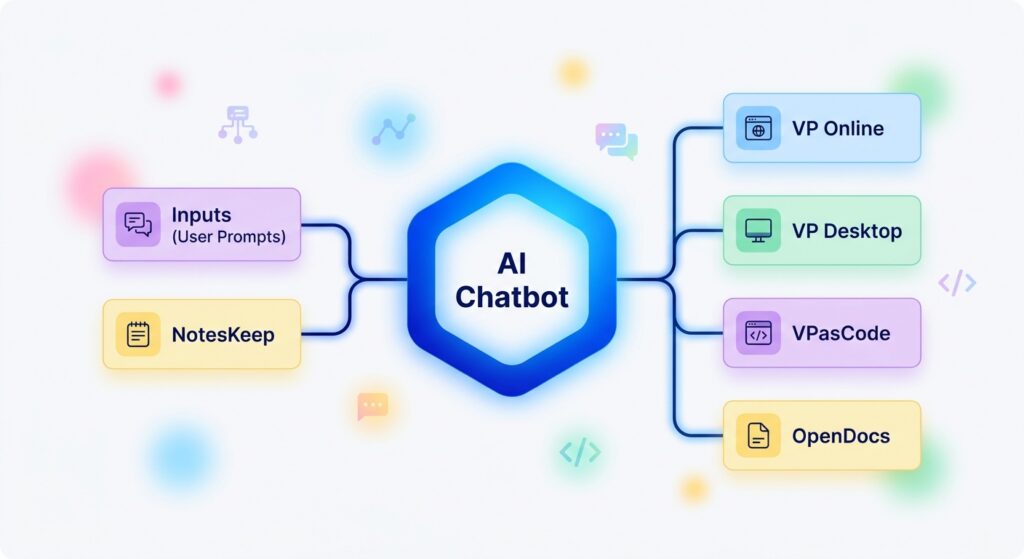
Visual Paradigm AI Diagramming Chatbot is an intelligent assistant that turns natural conversational intent into visual models and actionable insights. Designed to eliminate the blank canvas problem, it bridges early ideation and grounded knowledge analysis directly into professional visual modeling workflows.
AI Capabilities
Advanced Intelligent Features
CORE AI
Conversational Diagram Generation
Generate UML, SysML, BPMN, ArchiMate, and ERD diagrams directly from natural language prompts or project specs.
INTERACTIVE
Iterative Refinement via Chat
Modify layouts, adjust elements, add relationships, and update visual styles through natural back-and-forth dialogue.
KNOWLEDGE BASE
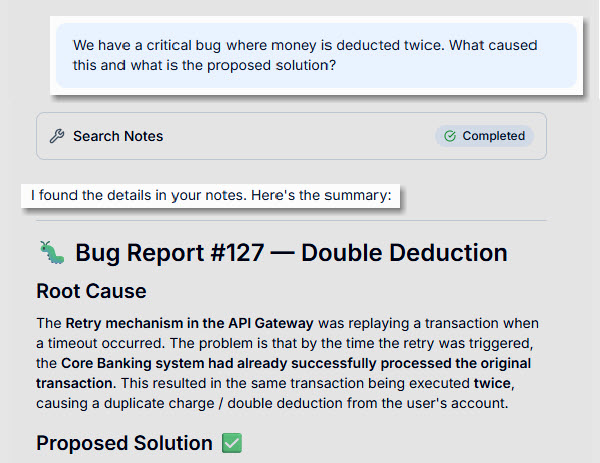
NotesKeep Knowledge Q&A
Query corporate documents and notes in real time to generate accurate, context-aware diagrams grounded in actual project data.
AUTOMATION
Automated Documentation Drafting
Produce structured specifications, design notes, and system documentation automatically alongside visual diagrams.
SPEED
Speed-Up and Execution
Accelerate architecture and design cycles by moving rapidly from initial concept to structured model without manual drag-and-drop setup.
PIPELINE SYNC
Seamless Ecosystem Pipeline
Transition chat-generated artifacts directly into Visual Paradigm Online, VP Desktop, VPasCode, and OpenDocs for full design lifecycle management.
Enterprise-Grade Support
Enterprise-Grade Support for Every Standard Notation
Visual Paradigm AI Chatbot is trained on formal modeling semantics across all official OMG, ISO, and cloud architecture standards. Select a notation family below to explore capabilities.
Software Architecture & Design
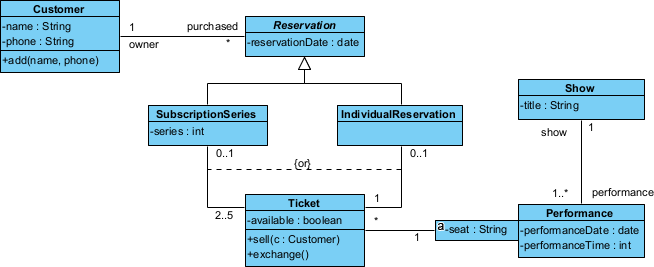
UML 2.5 (Unified Modeling Language)
The industry-standard language for specifying and documenting software systems. Describe class relationships, sequence interactions, component topographies, and state transitions using plain English prompts.
Supported AI Features:
- Class, Sequence, Activity & Component diagrams
- OMG syntax compliance guaranteed
- One-click export to VPasCode or VP Desktop
Business Workflow & Operations
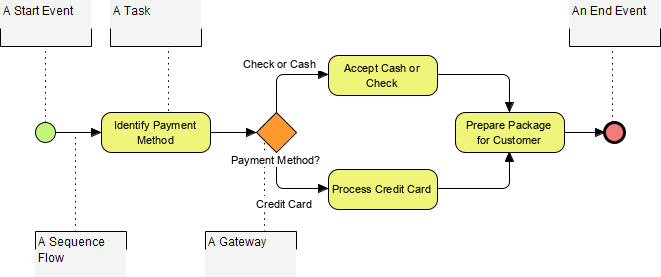
BPMN 2.0 (Business Process Notation)
Standardized notation for business processes, operational choreography, and execution semantics. Generate end-to-end organizational workflows, swimlanes, and decision gateways directly from verbal requirements.
Supported AI Features:
- Sub-processes, pools, and swimlanes
- Message events and compensation handlers
- Direct handoff to VP Online drag-and-drop editor
Cloud & Microservices Architecture
C4 Model (Software Architecture)
Purpose-built for modern cloud-native architectures. Describe system contexts, containers, and component dependencies at varying levels of abstraction without getting lost in unnecessary notation clutter.
Supported AI Features:
- Context, Container, and Component tiers
- Ideal for microservices and cloud infrastructure
- Clean visual hierarchy for engineering reviews
Enterprise Strategy & IT Layers
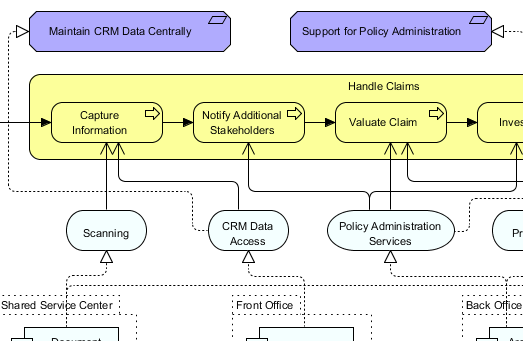
ArchiMate 3.2 (Enterprise Architecture)
The Open Group standard for multi-layered enterprise architecture. Describe Business, Application, and Technology layers while linking strategic goals to underlying physical infrastructure.
Supported AI Features:
- Multi-layer enterprise alignment
- Business, Application, and Technology tiers
- Bridge business strategy to IT implementation
Cyber-Physical & Hardware Engineering
SysML (Systems Engineering)
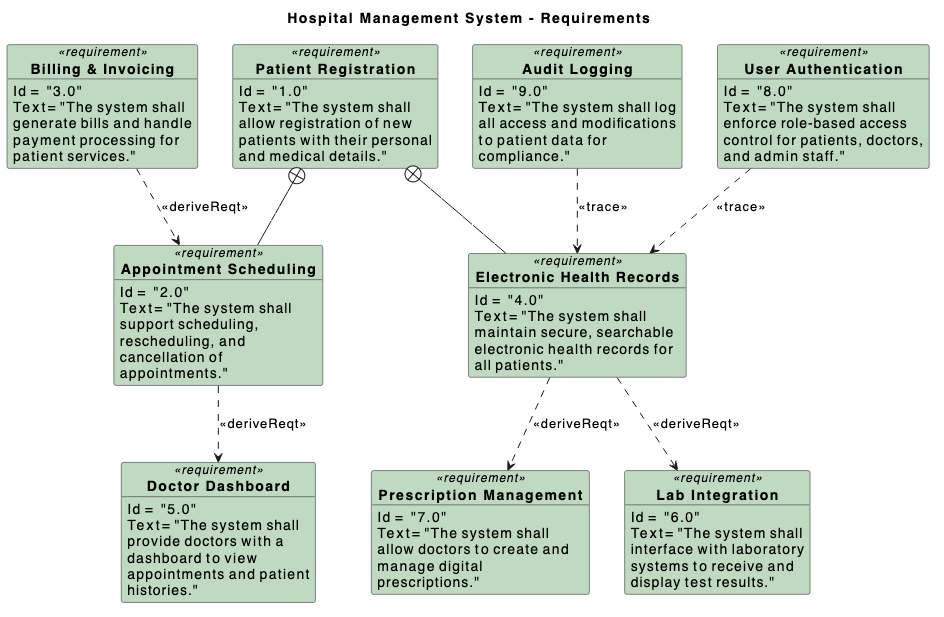
Purpose-built for complex engineering systems. Model requirements, block definitions (BDD), internal blocks (IBD), and behavior across hardware, software, and physical constraints.
Supported AI Features:
- Block Definition & Internal Block diagrams
- Hardware and software requirement mapping
- Standard OMG systems engineering support
Data Engineering & Storage
ERD (Database Schema Modeling)
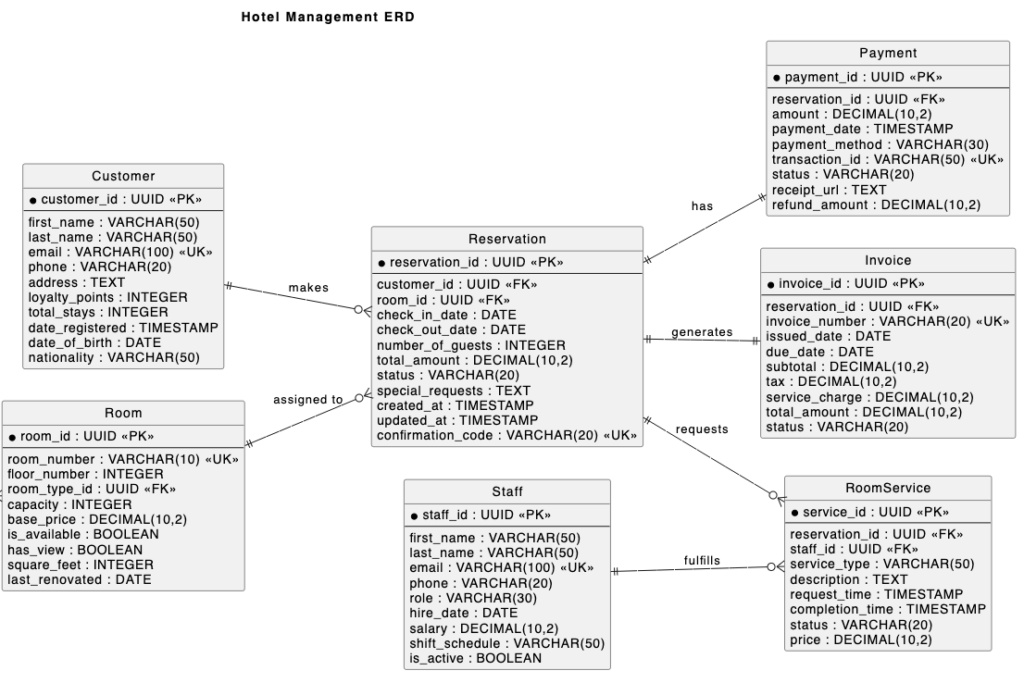
Comprehensive conceptual and logical data modeling. Define entities, attributes, primary/foreign keys, and cardinalities automatically from natural text requirement specifications.
Supported AI Features:

- Relational & document database schemas
- Automatic key and relationship inferencing
- Import into VP Desktop for executable DDL generation
Process Logic & Algorithms
Flowcharts & Logic Trees
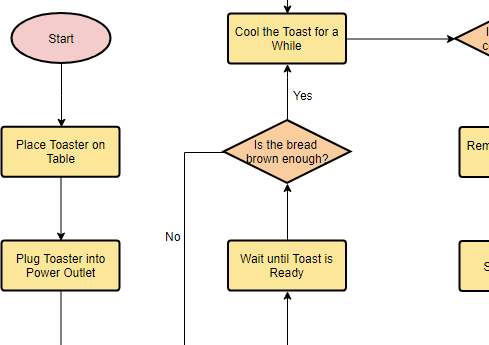
Clean, accessible visual representations of business logic, operational decision trees, and software algorithms suitable for both technical and non-technical team members.
Supported AI Features:

- Clear decision branches and action steps
- Great for rapid brainstorming and policy reviews
- Instant conversion into formal BPMN when needed
API & Message Choreography
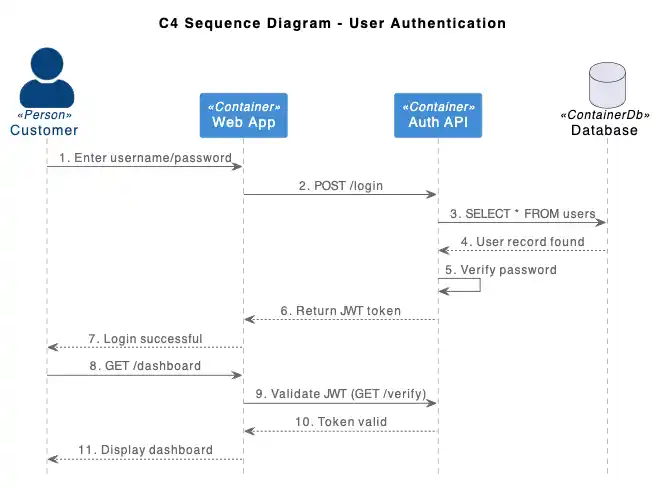
Sequence & Interaction Flows
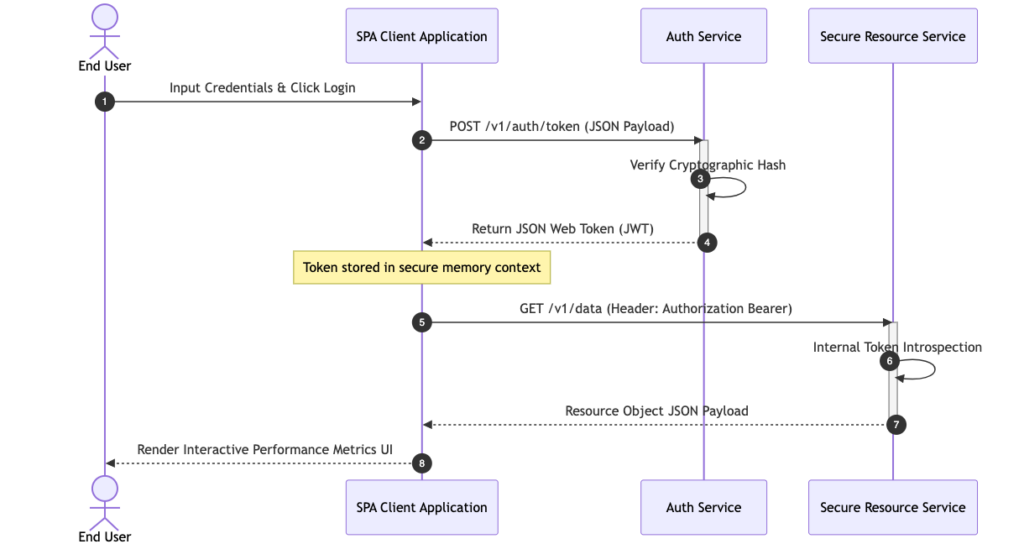
Visualize step-by-step message exchanges between actors, API gateways, microservices, and databases with precise temporal sequencing and fallback logic.
Supported AI Features:
- Actor-to-system message timelines
- Synchronous and asynchronous call paths
- Ideal for REST API and RPC sequence specs
Knowledge Intergation
Grounded Answers with NotesKeep Integration
Connect the AI Chatbot directly to your corporate knowledge repository in NotesKeep. Ensure every diagram and response is accurate, context-aware, and aligned with project history.
- Grounded Querying: Ask complex questions about system architecture and get answers backed by verified project notes.
- Contextual Diagramming: Generate visual models directly from linked documentation, requirements, and spec sheets.
- Synchronized Knowledge: Keep diagram updates synchronized with evolving notes and documentation automatically.
Cross-App Workflows
The Ideation Gateway to the Visual Paradigm Ecosystem
Move seamlessly from conversational ideation to code refinement, desktop modeling, and living documentation.
4 Seamless Ecosystem Workflows
Grounded Diagram Creation from NotesKeep
Gather project requirements, Word specifications, or meeting minutes inside NotesKeep. In the AI Chatbot, enable the “Search notes” option to ground the AI in your project context. Instruct the chatbot to turn collected requirements into accurate initial diagram drafts with zero ambiguity.
Drafting to VPasCode & VP Desktop
Generate a diagram draft in AI Chatbot and dispatch it to the Pipeline. From there, send it into VPasCode to fine-tune syntax using PlantUML/Mermaid code, or import into Visual Paradigm Desktop for deep structural modeling, forward/reverse engineering, and code/database generation.
AI Chatbot to VP Online Drag-and-Drop
Need to tweak visual layouts or apply brand styling? Click “Edit in VP Online” directly within the AI Chatbot viewer. This opens the diagram in Visual Paradigm Online’s browser-based drag-and-drop editor for fast visual styling and team sharing.
Pipeline Retrieval in OpenDocs
Diagrams created or refined across the ecosystem are automatically indexed in the Pipeline. Retrieve live diagram blocks directly inside OpenDocs to produce polished technical manuals, architecture decision records, and executive reports.
Tailored Solutions
Who Benefits Most from AI Diagramming Chatbot?
Visual Paradigm AI Chatbot empowers cross-functional enterprise teams to collaborate seamlessly. Select a role below to explore dedicated workflows.
Role-Based Solution
Software Architects & Engineers
Accelerate architecture design and streamline code-to-diagram workflows.
Key Workflow Benefits:
- Convert system specs into UML and sequence diagrams instantly
- Refine architecture diagrams visually or via VPasCode
- Eliminate manual setup time for software documentation
Role-Based Solution
Business & System Analysts
Bridge business requirements and technical specs through natural language.
Key Workflow Benefits:
- Generate BPMN business process models directly from meeting notes
- Query corporate specs in NotesKeep to clarify project scope
- Produce clear visual models for stakeholder reviews
Role-Based Solution
Product Managers
Rapidly prototype features and document user journeys without design delays.
Key Workflow Benefits:
- Create user flow diagrams and flowcharts in seconds
- Maintain up-to-date visual documentation as product scope evolves
- Handoff structured models directly to engineering teams
Role-Based Solution
Domain Experts
Share enterprise knowledge through automated visual modeling.
Key Workflow Benefits:
- Transform complex domain knowledge into structured visual charts
- Ensure accuracy by grounding AI queries in verified company docs
- Publish living system docs directly to OpenDocs
Why Visual Paradigm
Why Choose Visual Paradigm AI Chatbot?
More than a chatbot—an integrated entry point into a professional visual modeling ecosystem.
Conversational Speed Meets Deep Ecosystem Capabilities
AI Diagramming vs. Drag-and-Drop Editors
Standard drag-and-drop tools are slow for initial drafting. Visual Paradigm AI Chatbot generates complete, structured diagrams in seconds. When customization is needed, transfer your work directly to VP Online or VP Desktop with zero data loss.
The AI Generation Advantage
- Speech-Speed Ideation: Type a paragraph of notes and get a 20-node system architecture draft in 3 seconds.
- No Layout Overhead: Automatic auto-layout means zero time spent dragging connectors or aligning boxes during initial brain dumps.
- Perfect Synergy: Draft conversational ideas in the AI Chatbot, then send them to VP Online's drag-and-drop editor for visual fine-tuning.
Domain-Aware Diagramming vs. Text-Only Responses
Visual Paradigm AI vs. Generic LLMs
Generic LLMs produce raw code snippets or simple ASCII text. Visual Paradigm AI Chatbot understands standard modeling notations natively, validates syntax, and connects directly to live ecosystem tools.
Why Visual Paradigm AI Wins
- Formal Modeling Domain Training: Trained specifically on formal UML 2.x, BPMN 2.0, SysML, and C4 rules, ensuring valid relationship semantics.
- Integrated Ecosystem Actions: One-click output to diagram-as-code (VPasCode), drag-and-drop (VP Online), desktop modeling (VP Desktop), and docs (OpenDocs).
- NotesKeep Knowledge Grounding: Connects to your team's project repository to answer architecture questions accurately without hallucinations.