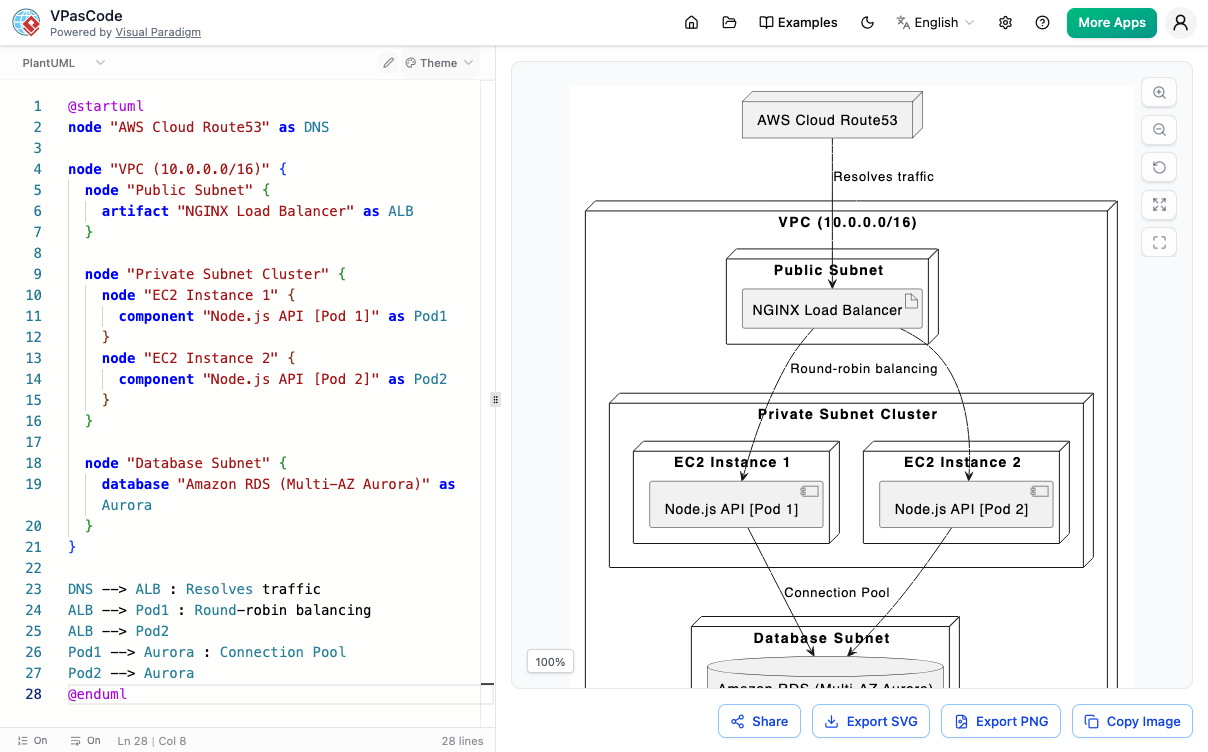
Instant Diagrams from Text withVisual Paradigm VPasCode.
Write or paste scripts in PlantUML, Mermaid, D2, Graphviz, Markmap, ECharts and more. See your diagrams rendered instantly in a unified free, online diagram-as-code editor.
Java, TS, Go, Rust, C#, Python, PHP, Ruby, Kotlin, Swift & more
Data & Config
JSON, YAML, XML, CSV, TOML
Database Queries
DBML & SQL schemas
AI-Powered
Extensive Multi-Format Engine
Supercharge your authoring speed with embedded AI intelligence built straight into your editing workflow.
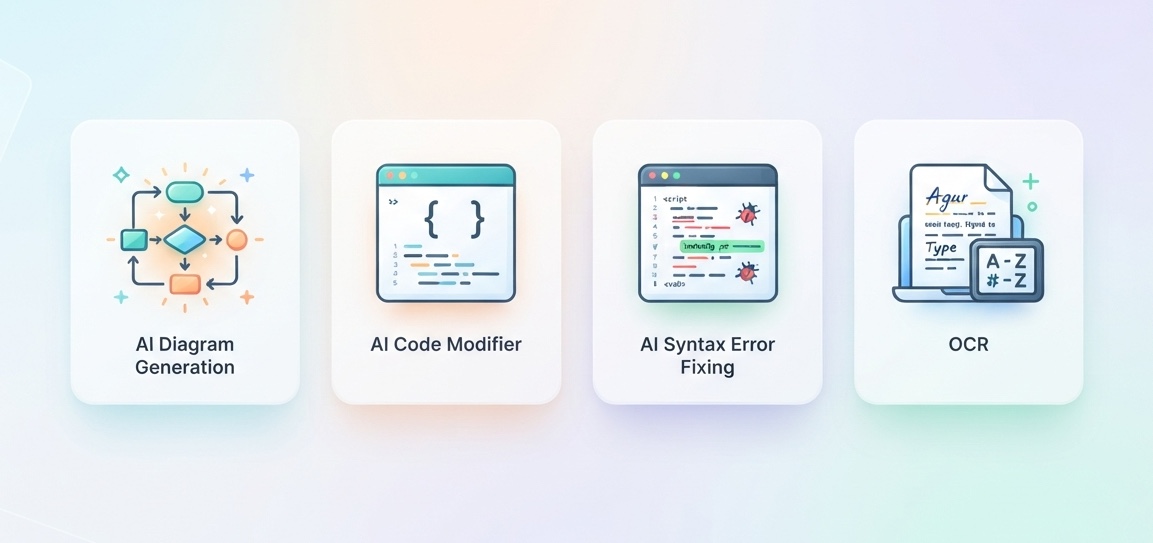
AI Diagram Generation
Turn plain-text prompts instantly into complete PlantUML, Mermaid, or D2 scripts.
AI Code Modify & Diff
Refactor code via chat with side-by-side code diffs and live visual previews.
AI Syntax Error Fixing
Click “Fix by AI” for instant code repair and transparent troubleshooting explanations.
C4 Image-to-Code OCR
Convert static architecture images into fully editable PlantUML scripts using vision intelligence.
Cloud Storage
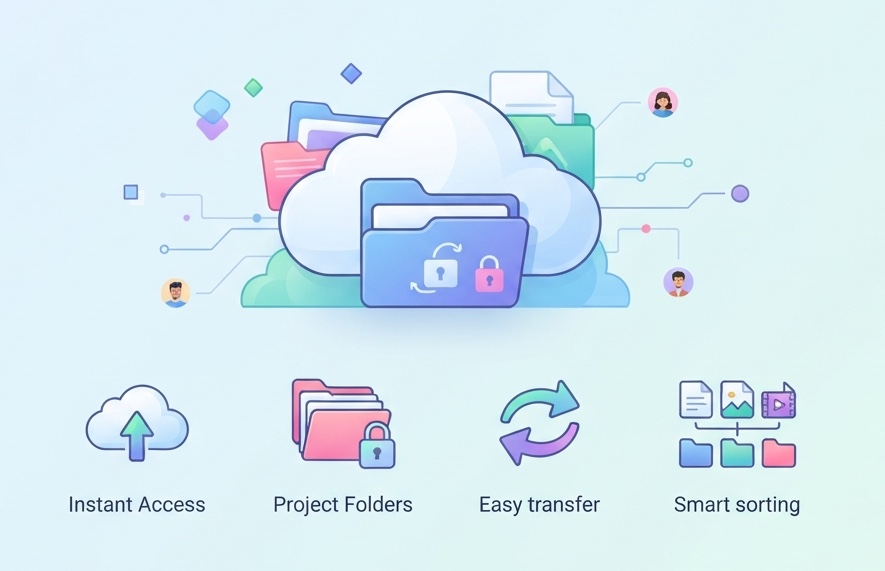
Cloud File Saving
Keep your diagrams safe and accessible from anywhere. Visual Paradigm VPasCode lets you save your diagram code directly to the cloud, group your files into projects, and jump back in whenever you need them.
Instant access
Open saved diagrams straight from the Project Files pane.
Project folders
Keep different diagrams separated into their own projects.
Easy transfers
Move files between projects whenever you need to reorganize.
Smart sorting
Quickly find files by name, type, or recent changes.
Connect Your Work
Visual Paradigm Ecosystem
Don’t stop at diagram code. Use the Pipeline to send your diagrams into other Visual Paradigm apps, helping you move smoothly from quick ideas to finished products.
Move work via Pipeline
Transfer diagrams between apps effortlessly with just a few clicks.
Build better docs
Send diagrams to OpenDocs to write and share project documentation.
Scale up your designs
Import diagrams into Visual Paradigm Desktop for deeper, formal modeling.
One smooth workflow
Use connected tools that support every step of your product development.
Getting Started withVPasCode
Broad Syntax Coverage
Supported Formats, DSLs & Languages
VPasCode handles all major open-source diagramming languages, structured configurations, database schemas, and source code files.
Diagramming Languages
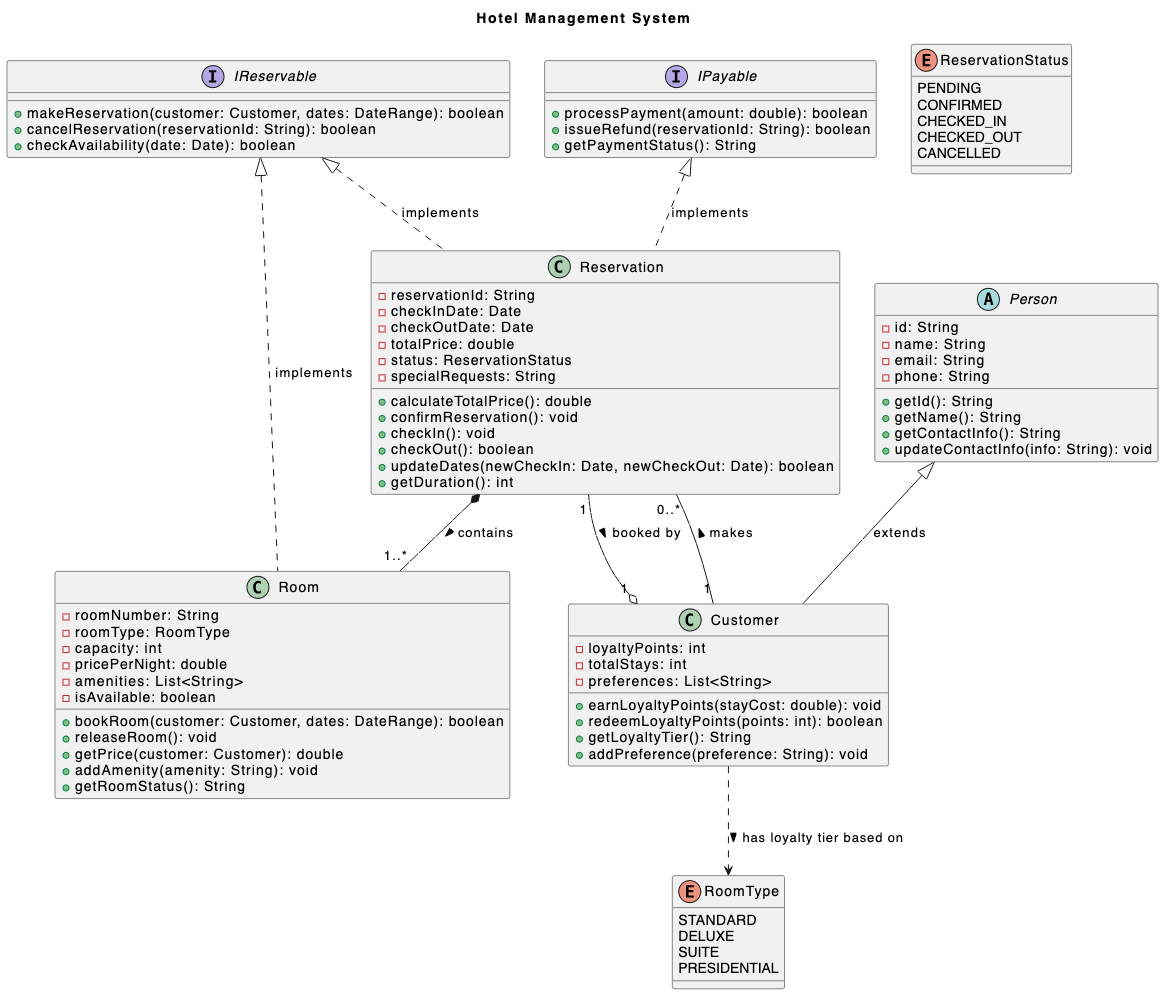
PlantUML, Mermaid, D2 & Graphviz
Write simple text to generate professional diagrams instantly—no manual dragging, dropping, or setup required.
D2: Modern software architecture, system blueprints, and clean cloud topologies
Graphviz: Directed graphs, network layouts, and complex dependency trees
Data Visualization
Interactive Charts with ECharts
Turn raw numbers into clean, responsive charts using simple configuration code.
Everyday business charts: Build bar, line, pie, scatter, and area charts in seconds
Advanced data views: Create heatmaps, radar charts, funnels, gauges, and candlestick charts
Ready to share: Export crisp visuals for reports, dashboards, and presentations
Visual Brainstorming
Instant Mind Maps with Markmap
Turn your plain Markdown notes and outlines into interactive, branching mind maps automatically.
Write in Markdown: Use simple headings and bullet points to structure your thoughts fast
Auto-layout: Watch your text turn into a neat, color-coded visual tree as you type
Great for planning: Map out project scopes, meeting notes, and study guides effortlessly
Data Structure Visualization
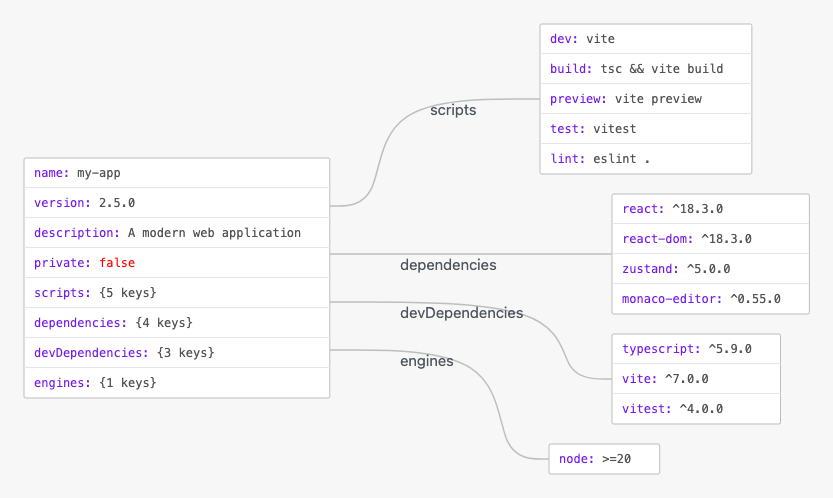
Visualize JSON, YAML & Data Files
Stop squinting at walls of nested brackets and indentation. Turn complex configuration and API data into clear, easy-to-read diagrams.
Clear tree views: See nested objects, arrays, and key-value pairs laid out visually
Spot errors fast: Quickly trace broken hierarchies and missing fields in large files
Ideal for APIs: Understand payloads and config files at a glance without reading line by line
Database Design
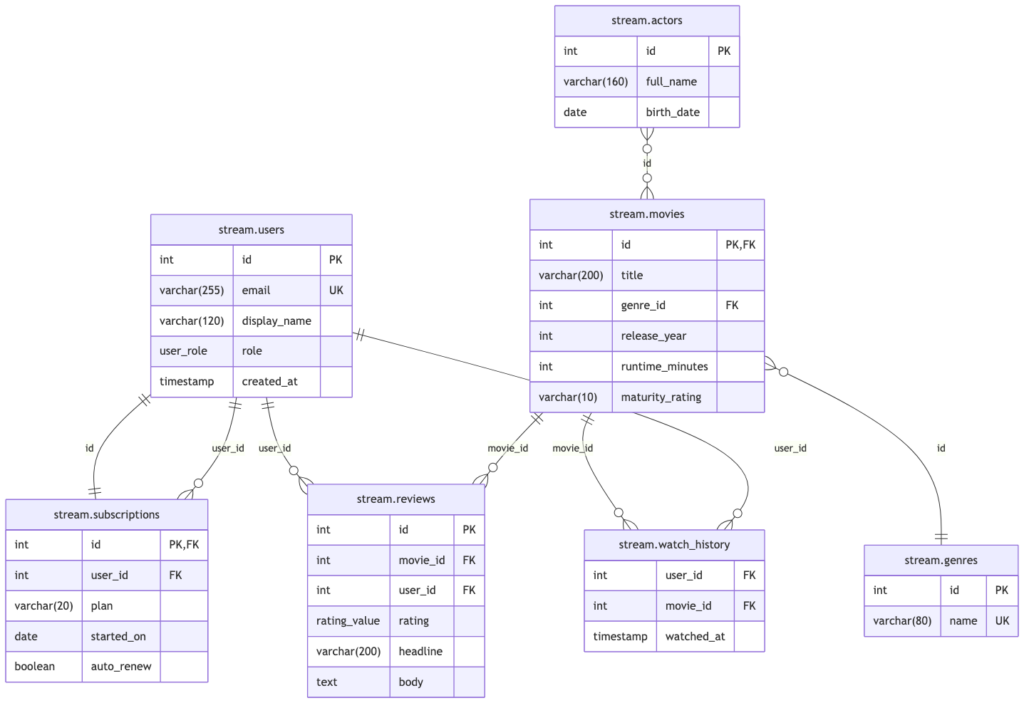
Database Diagrams from DBML & SQL
Design, review, and document your database structure directly from schema code without drawing boxes by hand.
DBML & SQL support: Paste existing SQL DDL scripts or write clean DBML to generate tables
Clear relationships: Automatically map out primary keys, foreign keys, and table connections
Always in sync: Update your schema code and watch your Entity Relationship Diagram (ERD) update immediately
Code-to-Diagram Visualization
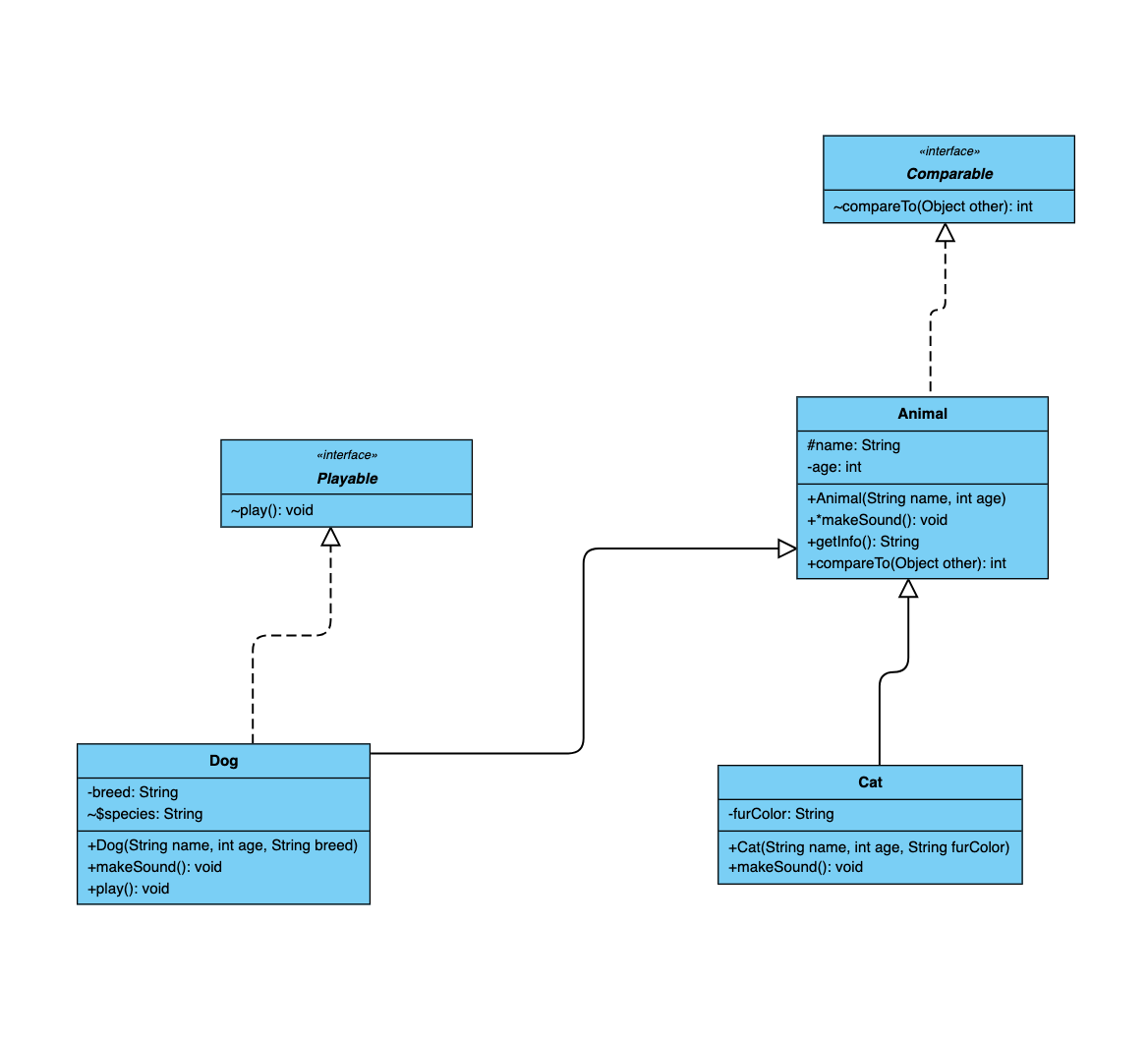
Visualize Java, Python & Source Code
Understand unfamiliar codebases faster by turning real source code into clean structural diagrams.
Java
TypeScript
Go
Rust
C#
Python
C
C++
PHP
Ruby
Scale
Zig
Kotlin
Swift
Elixir
Seamless Ecosystem Flow
Working within the Visual Paradigm Ecosystem
VPasCode connects developer-friendly text-to-diagram authoring with the rest of the Visual Paradigm ecosystem through the shared cloud Pipeline.
Text-Based Code Editing
Code-First Drafting
Code-Backed Visuals
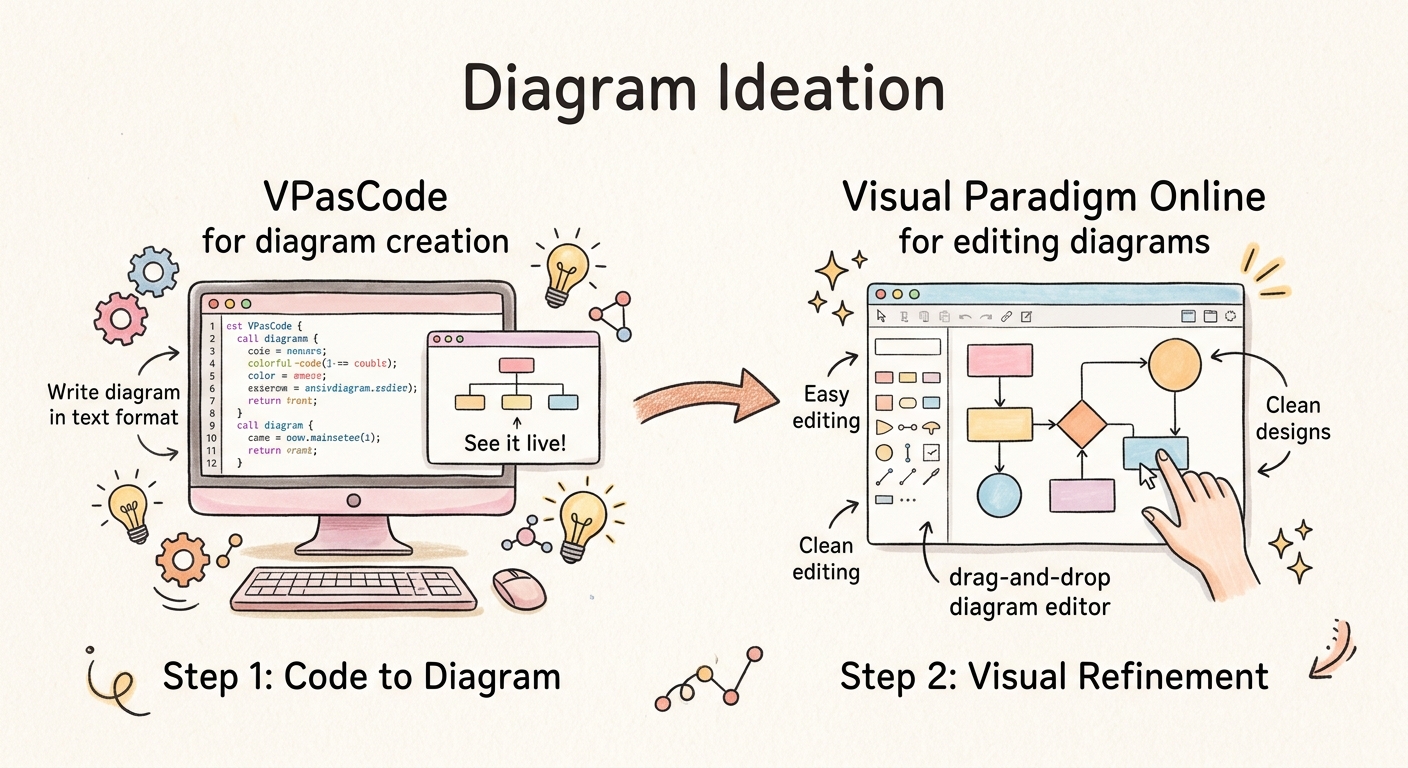
Text-Based Code Editing to Visual Refinement
Author diagrams declaratively using popular markup syntaxes like PlantUML, Mermaid, Graphviz, and D2, then seamlessly transition them into interactive visual editors for fine-tuning layout and styling.
Objective & Purpose
Give developers and technical architects a fast code-first workflow for defining structural diagrams while preserving the flexibility to adjust layouts visually.
Step-by-Step Workflow
Code-Based Diagram Authoring (VPasCode)
Open VPasCode and define your diagram structure using your preferred markup syntax (PlantUML, Mermaid, Graphviz, or D2) while viewing live visual updates in the instant preview pane.
Interactive Visual Touch-Up (VP Online)
When you need custom visual styling or precise shape placement, transition your diagram into Visual Paradigm Online to leverage intuitive drag-and-drop visual editing tools.
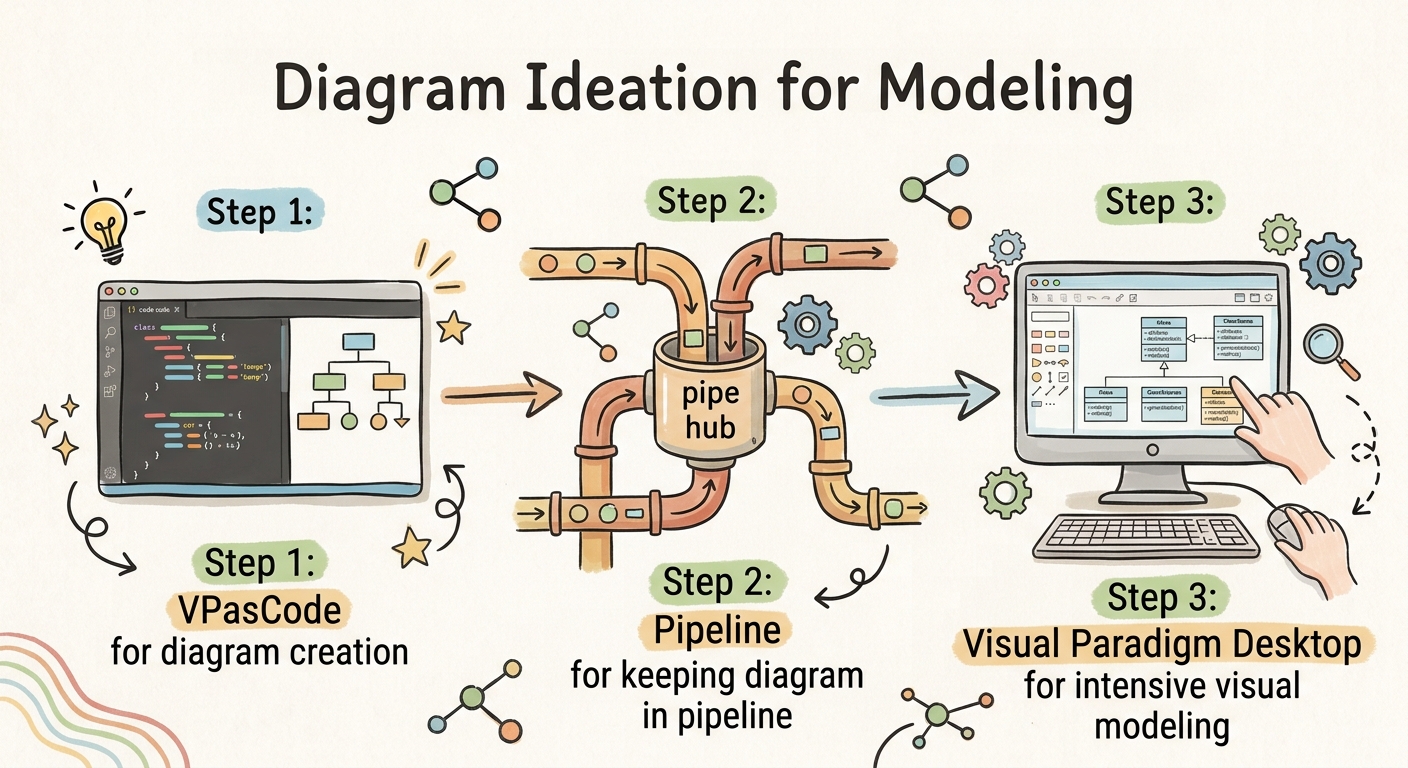
Code-First Drafting to Visual Modeling
Bridge lightweight text-based diagram scripts with deep offline visual modeling, element specification management, and system-level traceability.
Objective & Purpose
Transform lightweight code-based diagram definitions into fully refined visual model inside Visual Paradigm Desktop.
Step-by-Step Workflow
Rapid Syntax Authoring (VPasCode)
Rapidly draft architectural components, sequence flows, or data models using text scripts in VPasCode.
Artifact Pipeline Handoff (Pipeline)
Send the completed diagram code artifact directly to the Pipeline repository.
Model Engineering (VP Desktop)
Launch Visual Paradigm Desktop, import the artifact from the Pipeline, and expand it into a formal, connected model with element specifications and sub-diagram hierarchies.
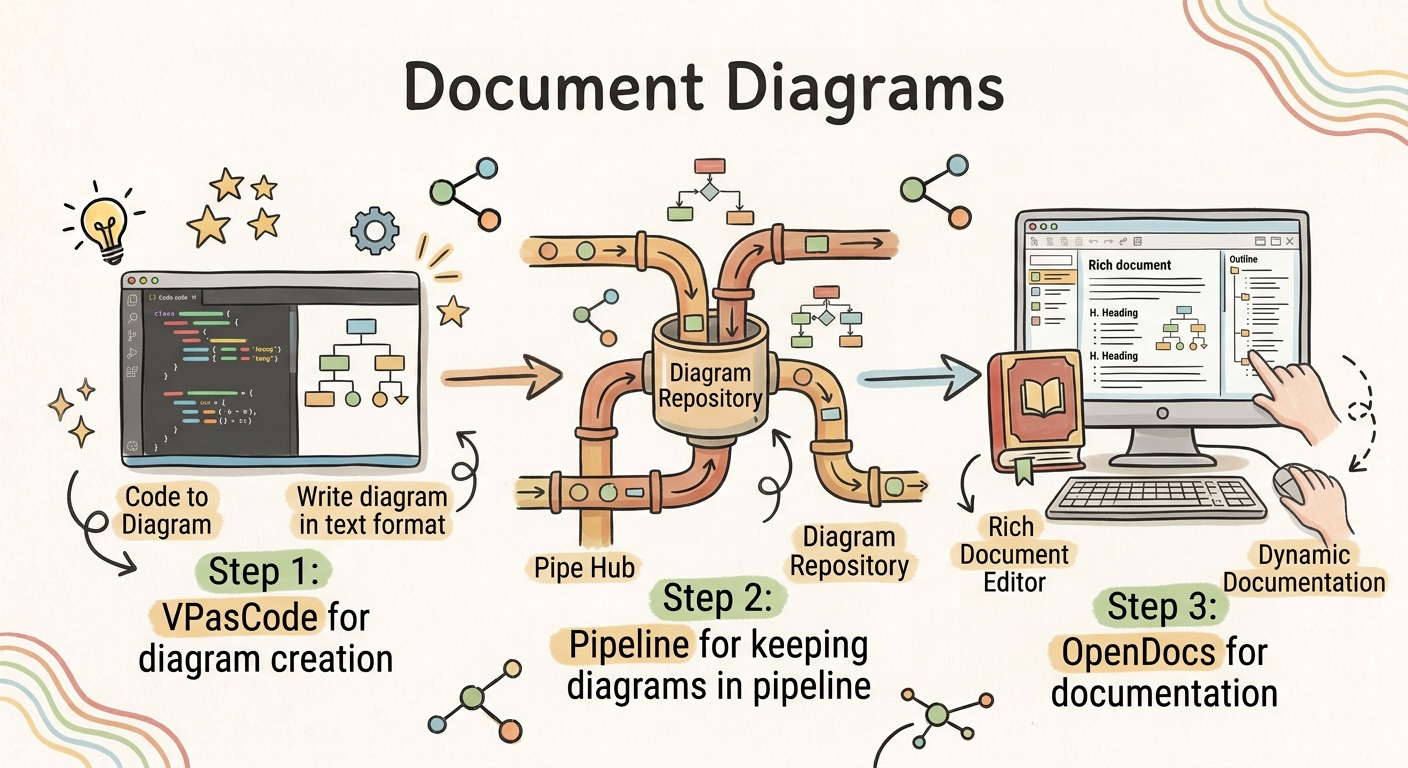
Code-Backed Visuals to Living Documentation
Publish diagrams created via text markups directly into maintained, team-accessible OpenDocs documentation pages alongside complete written explanations.
Objective & Purpose
Integrate developer-authored diagram scripts into central project documentation so visual assets never get disconnected from written context.
Step-by-Step Workflow
Diagram Markup Scripting (VPasCode)
Write and verify your system architecture or process diagram script inside VPasCode.
Pipeline Artifact Handoff (Pipeline)
Publish the verified diagram output to the Pipeline hub for downstream publication handoff.
Contextual Page Publishing (OpenDocs)
Open OpenDocs, insert the diagram from the Pipeline into the target project page, and add written context detailing system decisions, operational scope, and assumption logs.
Enterprise Personas
Tailored for Modern Engineering Workflows
Explore how software engineers, system architects, and technical authors rely on VPasCode to maintain living architectures.
Role-Based Workflow
Developers & Software Engineers
Keep diagram definitions directly inside Git repositories alongside application source code, and rapidly sketch intricate designs without ever leaving your keyboard.
Key Workflow Benefits:
Speed up early design sketching without wrestling with drag-and-drop handles or connector snappings
Automate architecture diagrams in CI/CD pipelines as part of release builds
Eliminate context-switching between your IDE and heavyweight desktop tools during early drafting
Role-Based Workflow
System Architects & Technical Writers
Maintain precise, declarative architecture and system documentation that stays in permanent synchronization with evolving software implementations.
Key Workflow Benefits:
Declaratively model multi-tier architectures, microservice graphs, and authorization sequences
Eliminate stale documentation: embed code snippets that re-render automatically on doc updates
Format diagrams with consistent corporate themes and standard fonts with one line of markup
Handoff directly to technical documentation portals like OpenDocs with zero image re-exports
Role-Based Workflow
Power Users & Diagram-as-Code Enthusiasts
Take full advantage of popular domain-specific diagramming languages and structured data definitions to express intricate system structures and data topologies efficiently.
Key Workflow Benefits:
Unified browser workspace: switch between PlantUML, Mermaid, Graphviz, D2, ECharts, and Markmap
Paste raw JSON, YAML, SQL, or programming code (Java, Python, TypeScript) for automatic rendering
No local runtime setup required: zero Java JDK or Graphviz CLI installation needed on user laptops
Instant compilation with WebAssembly and cloud acceleration for ultra-fast previews
Flexible Licensing
Simple & Accessible Licensing Plans
Start completely free with full core editor access, or unlock advanced AI features and integrations through your existing Visual Paradigm edition.
Free Plan
Core Code Editor
Enjoy unlimited access to the online code editor with zero cost or registration constraints.