


AI-Powered Knowledge Base using NotesKeep
3 Core Pillars of Visual Paradigm NotesKeep
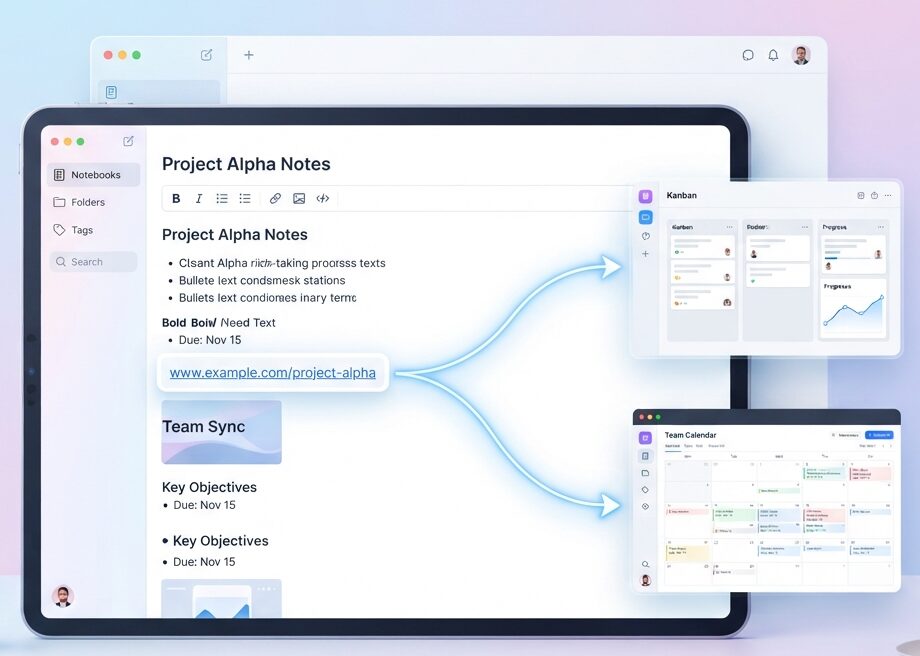
Note-Taking Tool
- WYSIWYG Rich Text: Complex formatting, tables, code blocks, and hyperlinks
- URL Fetcher: Paste links to extract and convert clean web content into notes
- Visual Embeds: Direct embeds from VP Desktop, Infographics & VPasCode
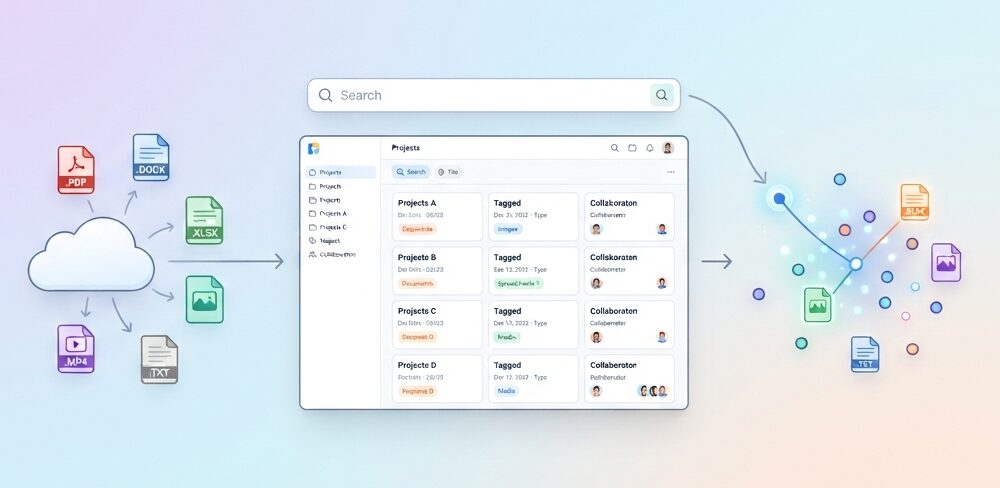
Document Management
- Universal File Import: Word, PDF, Excel, PPT, OpenDocument, Markdown & Images
- Project Isolation: Scoped workspaces with custom multi-dimensional tagging
- Vector Search: Full-text keyword & semantic vector indexing across body and metadata
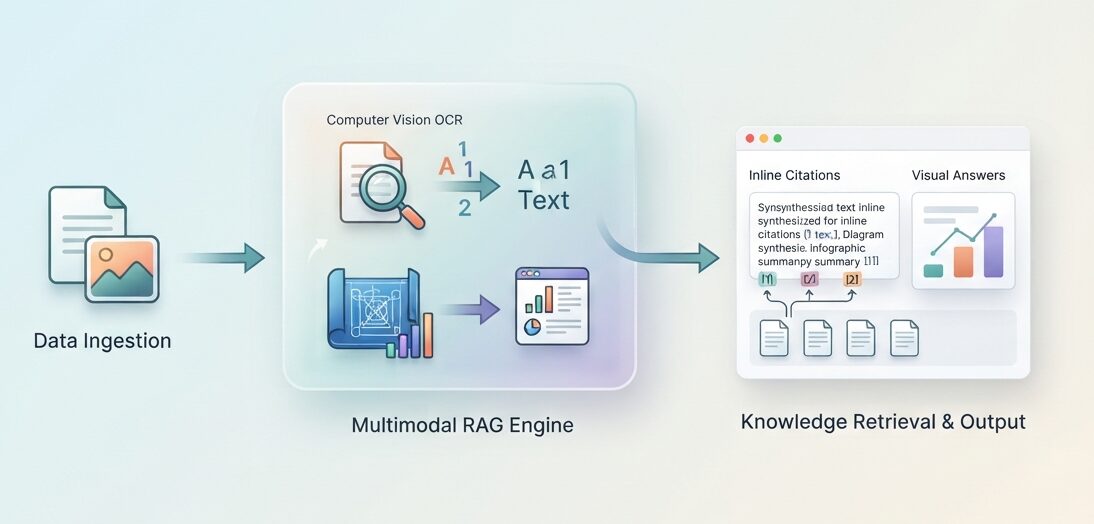
AI Knowledge Intelligence
- Multimodal OCR : Computer vision parsing of scanned PDFs, diagrams, and photos
- Scoped RAG & Citations: AI Chatbot answers tied to clickable inline source links
- Derive & Keep Loop: Save AI answers or generated UML/BPMN diagrams back as notes
Working within the Visual Paradigm Ecosystem
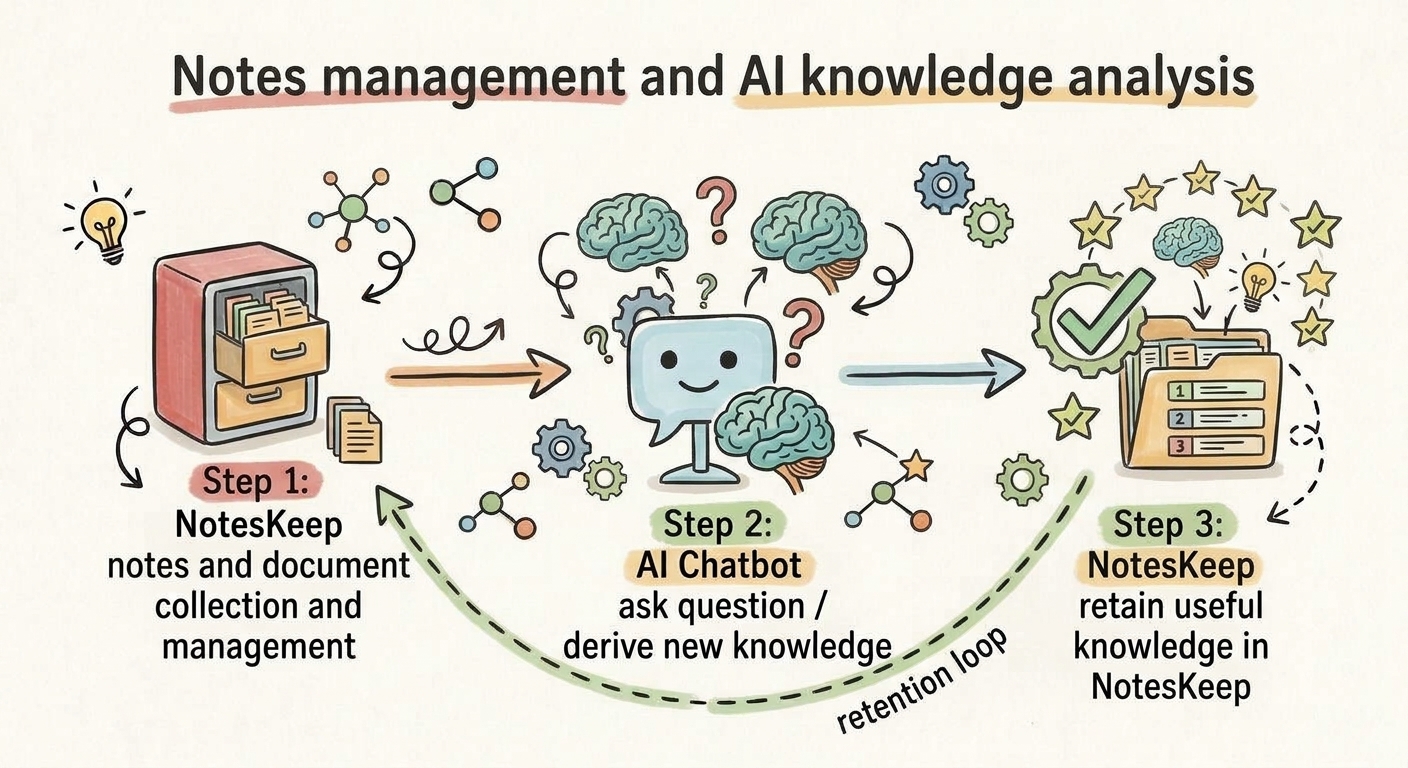
Notes Management and AI Knowledge Analysis
Objective & Purpose
-
Notes Collection & Management (NotesKeep)
Gather meeting outcomes, project decisions, and status records within NotesKeep, maintaining organization through clear titles, tags, and dates.
-
AI Querying & Discovery (AI Chatbot)
Enable note-search capabilities inside the AI Chatbot, scope your search to the target NotesKeep project, and ask complex questions to surface underlying project context.
-
Knowledge Retention & Saving (NotesKeep)
Capture valuable synthesized answers and actionable conclusions produced by the chatbot, saving them securely back into NotesKeep to update your knowledge baseline.
Document Management and AI Knowledge Analysis
Objective & Purpose
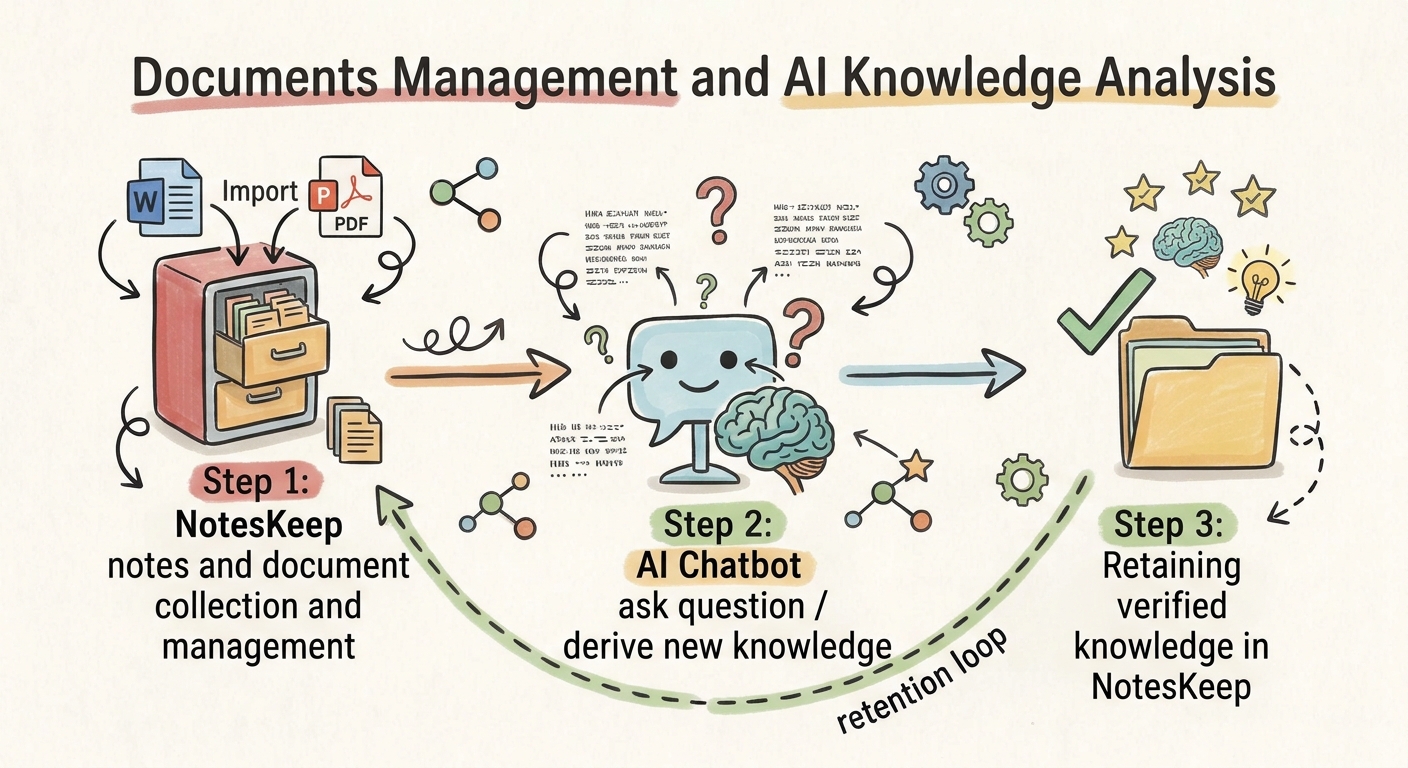
-
Document Collection & Ingestion (NotesKeep)
Import essential business files—including Word docs, PDFs, Excel sheets, PowerPoint decks, text documents, and web pages—into structured workspaces within NotesKeep
-
Grounded AI Analysis (AI Chatbot)
Leverage the AI Chatbot by scoping queries to your imported files to extract precise insights, verify organizational policies, and trace historical project adjustments.
-
Knowledge Retention & Maintenance (NotesKeep)
Retain verified insights and newly derived specifications inside NotesKeep to ensure long-term team alignment, auditability, and documentation accuracy.
Tailored for Cross-Functional Enterprise Teams
Meeting Notes & Stakeholder Alignment
- Collect meeting notes from different stakeholders and project discussions in NotesKeep over time.
- Ask AI to compare the collected notes, identify conflicting information, and highlight issues that need clarification.
- Use the findings to follow up with the relevant stakeholders and reach a shared understanding.

Research Collection & Knowledge Discovery
- Save research papers, web articles, personal notes, and reference materials in NotesKeep.
- Ask AI to summarize the collected knowledge and identify recurring themes, important findings, and knowledge gaps.
- Explore connections between different sources and discover new insights.

Project Requirements Management
- Gather requirements from interviews, emails, meeting records, and project documents in NotesKeep.
- Ask AI to consolidate the requirements, identify duplicates, and detect missing or ambiguous information.
- Generate a clearer understanding of the system requirements before moving into design and development.

Customer Feedback Analysis
- Collect customer feedback, support records, survey responses, and product reviews in NotesKeep.
- Ask AI to identify common complaints, frequently requested features, and emerging customer expectations.
- Use the insights to prioritize product improvements and identify opportunities.

Company Knowledge & Employee Onboarding
- Store company guidelines, standard operating procedures, training materials, and internal documentation in NotesKeep.
- Ask AI questions about company policies, workflows, and procedures whenever clarification is needed.
- Help new employees quickly find the information they need without manually searching through numerous documents.

Enterprise Deployment & Licensing Model
Core Repository Access
- VP Online: Combo Edition or higher
- VP Desktop: Professional Edition or higher (with active maintenance)
Full AI RAG & Vision Access
- VP Online: Deluxe Edition or higher
- VP Desktop: Professional Edition or higher (with active maintenance)