Enterprise Visual Modeling & System Architecture Suite

Intensive Visual Modeling. Complete Engineering Rigor.

Create formal, connected models with UML, SysML, BPMN, ArchiMate, code round-tripping, database engineering, and TOGAF ADM.
Standard Notations

Enterprise-Grade Support for Every Standard Notation

Explore the rich visual modeling notations supported natively by Visual Paradigm Desktop. Select any notation below to inspect modeling capabilities.
UML 2.5
UML 2.5 Visual Model

The industry-standard language for visualizing, specifying, and documenting software systems. Covers all 14 official UML diagram types, including Class, Sequence, Use Case, Activity, State Machine, and Component diagrams with real-time syntax checking.
BPMN 2.0
BPMN 2.0 Visual Model

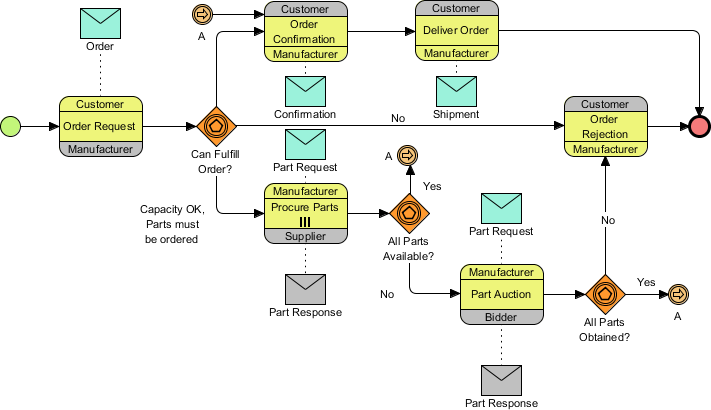
Standardized notation for business workflows, orchestration, and execution semantics. Design end-to-end organizational processes, sub-processes, compensation handlers, and decision gateways with full OMG compliance.
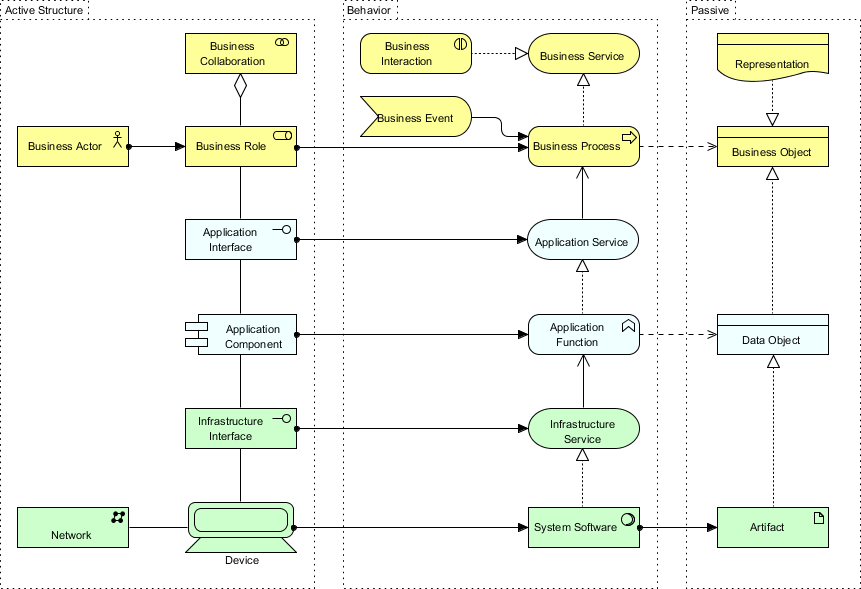
ArchiMate 3.2
ArchiMate 3.2 Visual Model

The Open Group standard for multi-layered enterprise architecture. Clearly describe Business, Application, and Technology layers while linking corporate strategy and motivational goals to underlying physical infrastructure.

SysML
SysML Visual Model

Purpose-built for complex cyber-physical systems engineering. Model requirements, block definitions (BDD), internal blocks (IBD), parametric equations, and behavior across hardware, software, and real-world constraints.
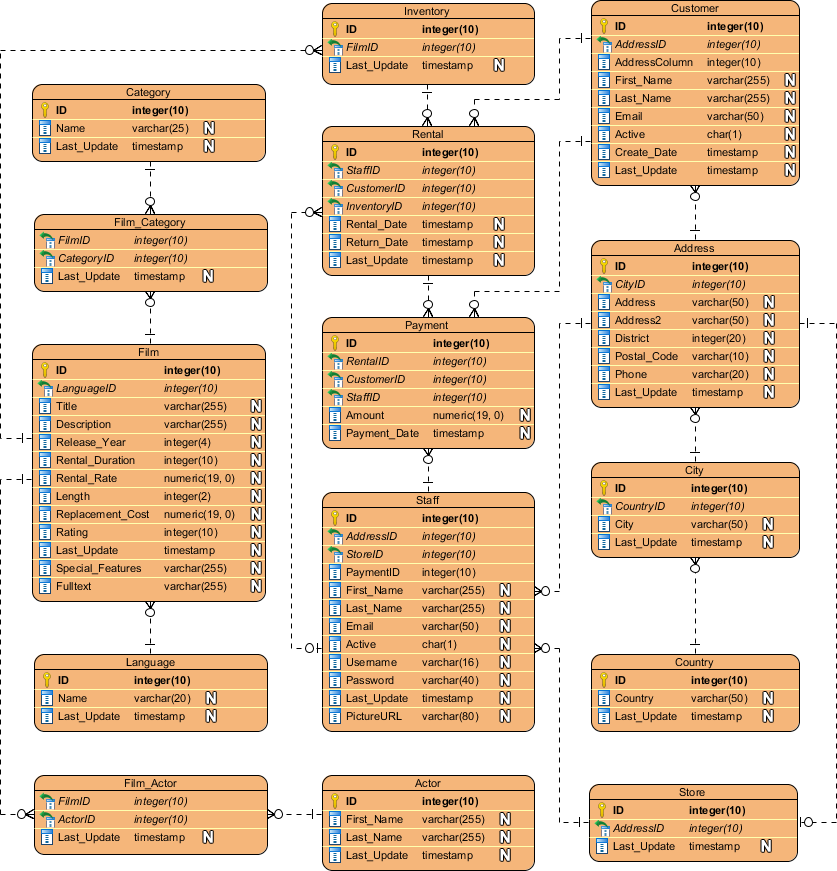
ERD (Database Modeling)
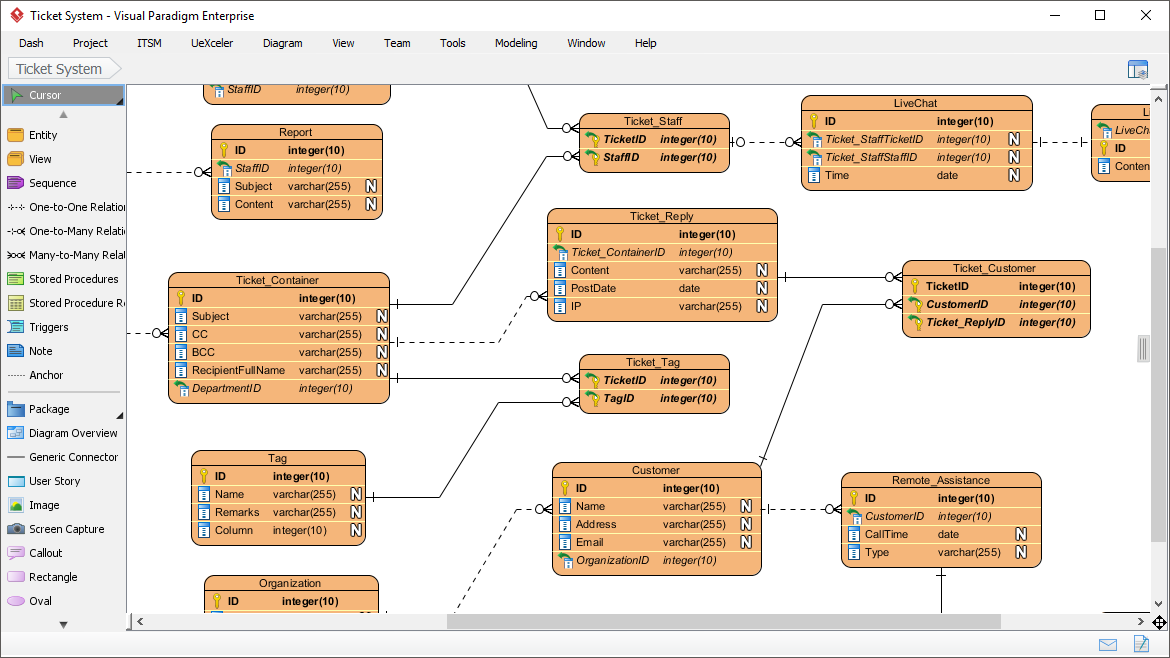
ERD (Database Modeling) Visual Model

Comprehensive conceptual, logical, and physical data modeling. Define entities, foreign-key relationships, and indexes, and automatically generate executable DDL scripts or reverse-engineer existing live databases.
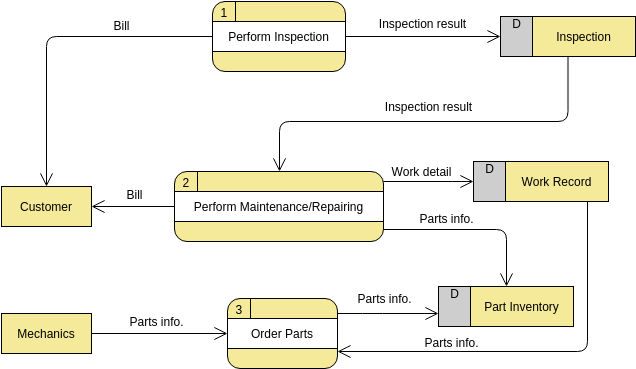
Data Flow Diagram (DFD)
Data Flow Diagram (DFD) Visual Model

Analyze and map how data moves through processes, external entities, and data stores. Supports Gane & Sarson and Yourdon/DeMarco standards with multi-level functional decomposition.
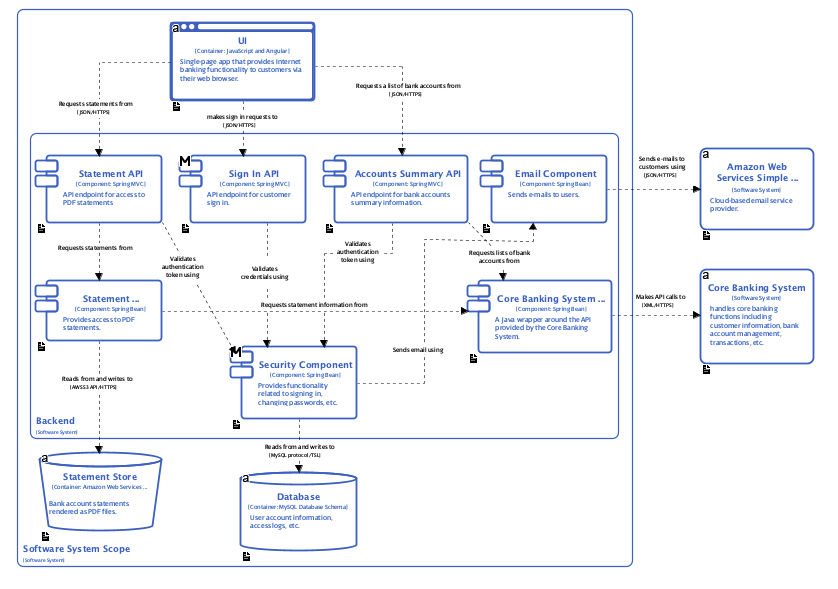
C4 Model
C4 Visual Model

A hierarchical approach to visualizing software architecture across four levels: Context, Containers, Components, and Code. Communicate system structures clearly to both technical teams and non-technical stakeholders.
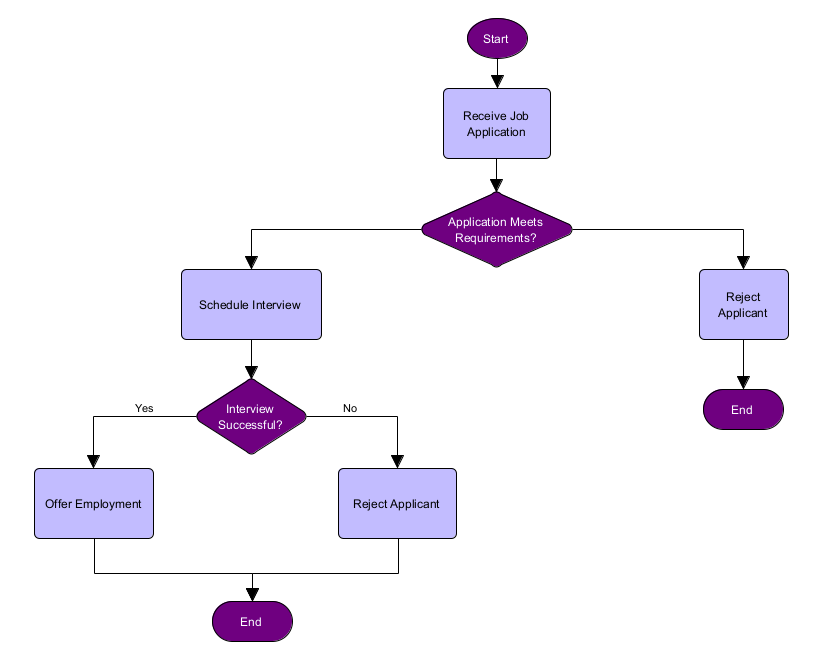
Flowchart
Flowchart Visual Model

Step-by-step visual representations of algorithms, workflows, and decision logic. Map out sequential actions, conditional branches, and process paths using standardized geometric symbols.
Engineered for Enterprise

Why Architectural Work Demands a True Modeling Engine

Generic drawing and whiteboard tools treat shapes as disconnected lines on a canvas. Visual Paradigm Desktop maintains a semantically linked model repository where every element, property, and relation is unified.

Standard Drawing & Whiteboard Tools

Generic vector shapes, sketchpads, and visual canvases

  • Isolated Duplicate Shapes

    Renaming an actor or component in one diagram leaves every other diagram outdated. There is no shared model definition.

  • Zero Syntax & Rule Validation

    Users can connect incompatible elements with invalid relationships without any notification, checking, or formal validation.

  • No Traceability or Impact Analysis

    Impossible to query which code classes or database schemas depend on a modified functional requirement or user story.

  • Static Graphics Only

    Produces static pictures. Cannot generate backend source code, physical database DDL, or REST API contracts.

Suitable only for informal brainstorming and temporary sketches.
Recommended

Visual Paradigm Desktop

True Connected Semantic Modeling Platform

  • Global Element Reusability

    Update a class name, method, or attribute once: the entire project repository synchronizes across all diagrams immediately.

  • Real-Time Notation Syntax Validation

    Automated rule-checking ensures models strictly conform to OMG specifications (UML, BPMN, SysML, ArchiMate).

  • End-to-End Traceability & Impact Analysis

    Inspect downstream dependencies through a live matrix linking user stories directly to database tables and source code.

  • Round-Trip Engineering & Schema Generation

    Bidirectionally generate code (Java, C#, C++, Python) and physical DDL scripts from your visual design models.

Built for engineering teams and certified enterprise architects.
Full-Featured Engineering

Powerful Features Beyond Visual Modeling

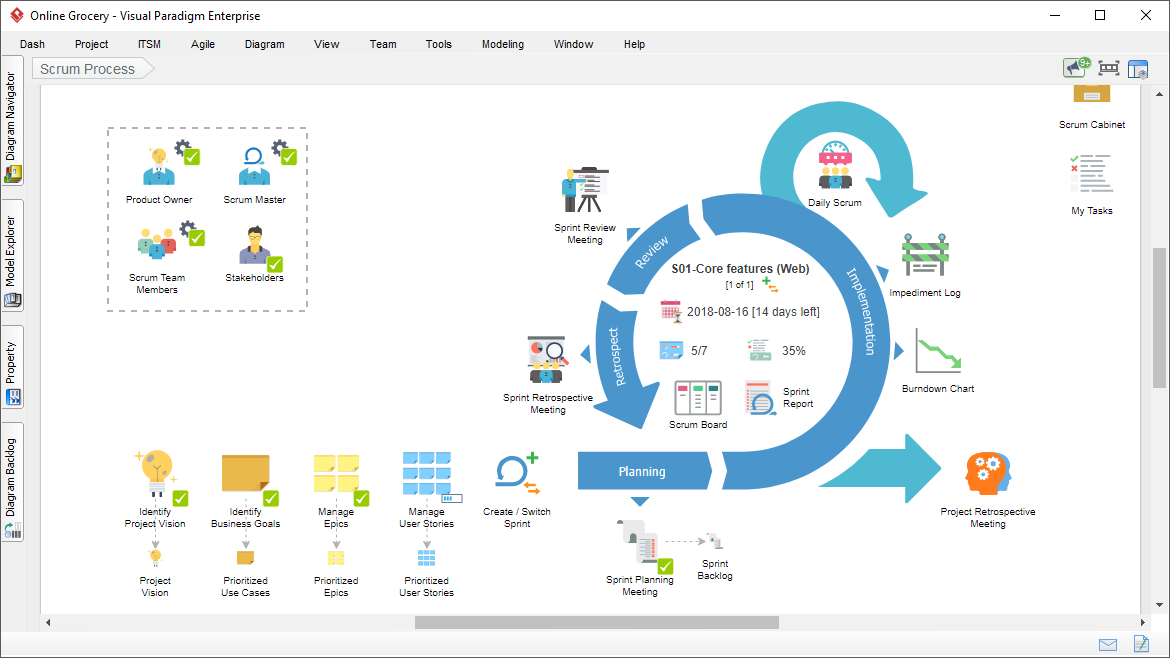
Visual Paradigm Desktop is an award-winning suite combining code engineering, enterprise architecture, agile management, and UX design into one cohesive workspace.
Implementation Bridge

Code Engineering, Round-Trip & Database Generation

Bridge the gap between design and real-world implementation. Generate production-ready code from UML diagrams, reverse-engineer legacy codebases into living models, and synchronize physical databases from visual ERDs.
Architecture Governance

Enterprise Architecture & Certified TOGAF ADM

Visual Paradigm is a globally recognized leader in Enterprise Architecture. Align business strategy with IT reality using the interactive TOGAF ADM Guide-Through tool and complete ArchiMate 3.2 notation support.
Agile Execution

Agile Story Mapping, Requirements & Project Governance

Keep your development sprints connected directly to high-level architecture. Build 3-tier User Story Maps, track requirement revisions, manage sprint backlogs, and plan project schedules with Work Breakdown Structure (WBS) and Gantt charts.
Experience Design

UX Wireframing, Storyboards & Scenario Walkthroughs

Tie visual interfaces directly to backend architecture models. Design responsive wireframes for desktop, tablet, and mobile, link user actions to sequence diagrams, and construct interactive storyboards for stakeholder sign-off.
Seamless Ecosystem Flow

Working within the Visual Paradigm Ecosystem

Visual Paradigm Desktop acts as the high-powered engineering core of our connected ecosystem, receiving drafts from AI or code tools and feeding finalized architectures into living docs.
Scenario 1 : From AI Ideation to Modeling
Usage Scenario 1: From AI Ideation to Modeling

Rapid conversational AI ideation promoted directly to formal enterprise engineering.
Step 1 • AI Chatbot

Generate Initial Draft

Prompt the AI Chatbot using natural language: “Generate an e-commerce microservices architecture with Order, Payment, and Notification services.”
Step 2 • Pipeline

Send to Artifact Hub

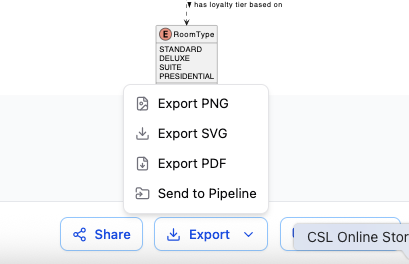
Click “Send to Pipeline” in the chatbot viewer. The diagram artifact is safely staged in your cloud workspace with version metadata.
Step 3 • VP Desktop

Import & Engineer

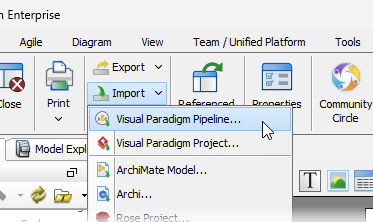
In Visual Paradigm Desktop, click “Import from Pipeline”. The draft transforms into a formal model with reusable elements, code generation, and traceability.

Usage Scenario 2: From Diagram Draft to Model

Elevating developer-friendly text markup to full enterprise UML engineering.
Step 1 • Web Creation

Write Code

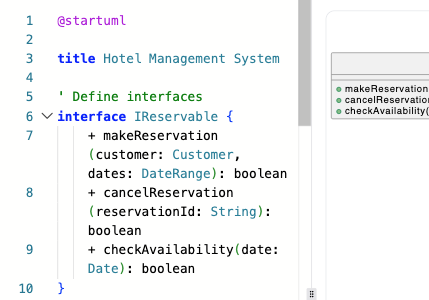
Developers write PlantUML or Mermaid code in VPasCode, while product managers sketch flows in Visual Paradigm Online.
Step 2 • Transferral

Handoff Mechanism

Diagram transferral from VPasCode is routed via the Pipeline, while VP Online diagrams can be opened via the “Import from Web Diagram” pane.
Step 3 • VP Desktop

Carry on Visual Modeling

Continue detailed engineering in Desktop: apply TOGAF frameworks, validate syntax, assign database types, and generate physical code.

Usage Scenario 3: Create Technical Docs for Diagrams

Embedding living diagrams into documentation without fragile manual image exports.
Step 1 • VP Desktop

Send to Pipeline

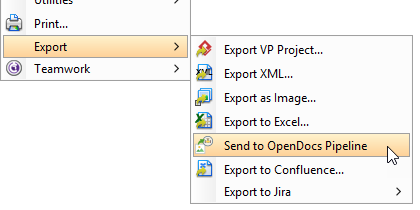
Complete your architecture diagrams in Visual Paradigm Desktop. Click “Send Diagram to Pipeline” to publish the latest verified revision.
Step 2 • OpenDocs

Embed into OpenDocs

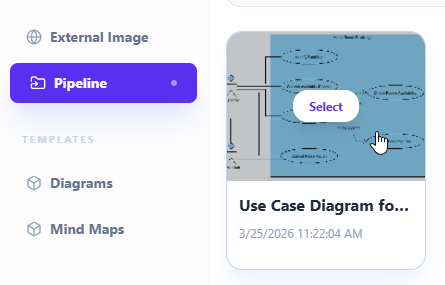
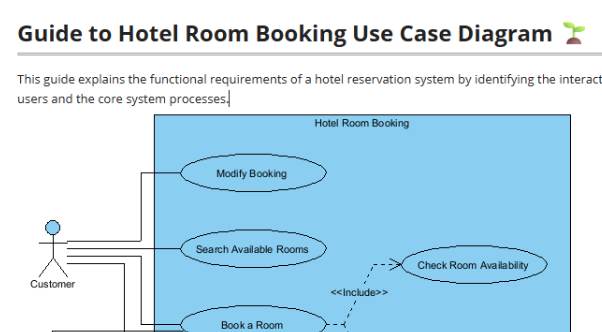
Open or create an OpenDocs documentation page for the feature. Select “Insert from Pipeline” to embed the living diagram directly.

Step 3 • Context & Specs

Publish and Sharing

Complement diagrams with written scope, design decisions, trade-offs, and requirement links so stakeholders always see the full context.
Tailored Solutions

Tailored for Every Enterprise Stakeholder

Visual Paradigm Desktop brings disparate disciplines together on a single common modeling language. Select a role below to explore dedicated workflows.
Role-Based Solution

Software Teams & System Architects

From High-Level Design to Production Code

Design robust microservices and systems with UML diagrams, generate clean boilerplate code, and reverse-engineer legacy codebases to keep documentation permanently synchronized with production software.

Core Capabilities
Role-Based Solution

Tailored for All Teams

Aligning Business Strategy with Technical Execution

Master enterprise-scale complexity with certified TOGAF ADM guide-through tools and comprehensive ArchiMate 3.2 support, bridging business motivation to cloud infrastructure.

Core Capabilities
Role-Based Solution

Business Analysts

Streamlining Workflows & Requirement Traceability

Document current-state and future-state workflows using standard BPMN 2.0, clarify stakeholder responsibilities, and analyze the downstream impact of business policy changes.

Core Capabilities
Role-Based Solution

Database Designers & Data Engineers

Visual ERD Modeling with Schema Migration Generation

Design normalized relational and document schemas, visualize complex foreign key cascades, and generate flawless DDL migration scripts for all major database engines.

Core Capabilities
Role-Based Solution

Product & Project Managers

Visual Agile Roadmaps & Scope Governance

Keep sprint iterations tied directly to architecture. Build visual User Story Maps, slice deliverable MVPs, track task backlogs, and plan schedules with Work Breakdown Structures (WBS).

Core Capabilities
Role-Based Solution

Educators & Students

Academic Excellence in Software Engineering & Modeling

Visual Paradigm powers computer science curriculums at over 1,500 universities worldwide, offering students hands-on experience with industry standard notations and methodologies.

Core Capabilities
Scroll to Top