Getting Started with Your Visual Paradigm Playground Evaluation
Welcome to the Visual Paradigm Playground evaluation environment. This hands-on evaluation program is designed to give prospective users, architects, and technical leads a complete, frictionless test drive of the Visual Paradigm Ecosystem using a standardized enterprise case study: the ATM System.
Rather than starting with a blank canvas or forcing you through tedious manual setup, your Playground workspace comes pre-loaded with fully configured project repositories, architectural models, meeting notes, requirements documentation, and cross-application pipelines. This guide will walk you through accessing, exploring, and evaluating the entire suite effectively.
Note on Accessibility: Access to the live Playground environment is currently restricted and not publicly open. If you do not have an active evaluation account yet, please contact our sales or support team to request access. Furthermore, while the Playground environment is specially provisioned for this tutorial, the techniques, workflows, and best practices covered throughout this guide apply universally to all Visual Paradigm workspaces and editions—provided your license includes the corresponding feature set.
How to Access Your Playground Environment
To begin your cloud-hosted evaluation, please follow these simple steps to request access:
Request Evaluation Access: Please visit our support page (or email our sales team directly) to request access to the Visual Paradigm Playground. Provide your name, professional email address, and organization to help us expedite your request.
Receive Login Details: Once your evaluation instance is provisioned, our team will get back to you directly via email with your specific login credentials, unique workspace URL.
Access the Unified Platform Hub: Using the details provided, open your web browser and navigate to the specified Unified Platform landing page.
The Case Study: ATM System Architecture
Throughout all evaluation modules, you will explore a complete banking application model: the ATM System. This case study bridges business analysis, requirements capture, database modeling, software implementation, and technical documentation.
Ecosystem Overview: What You Will Evaluate
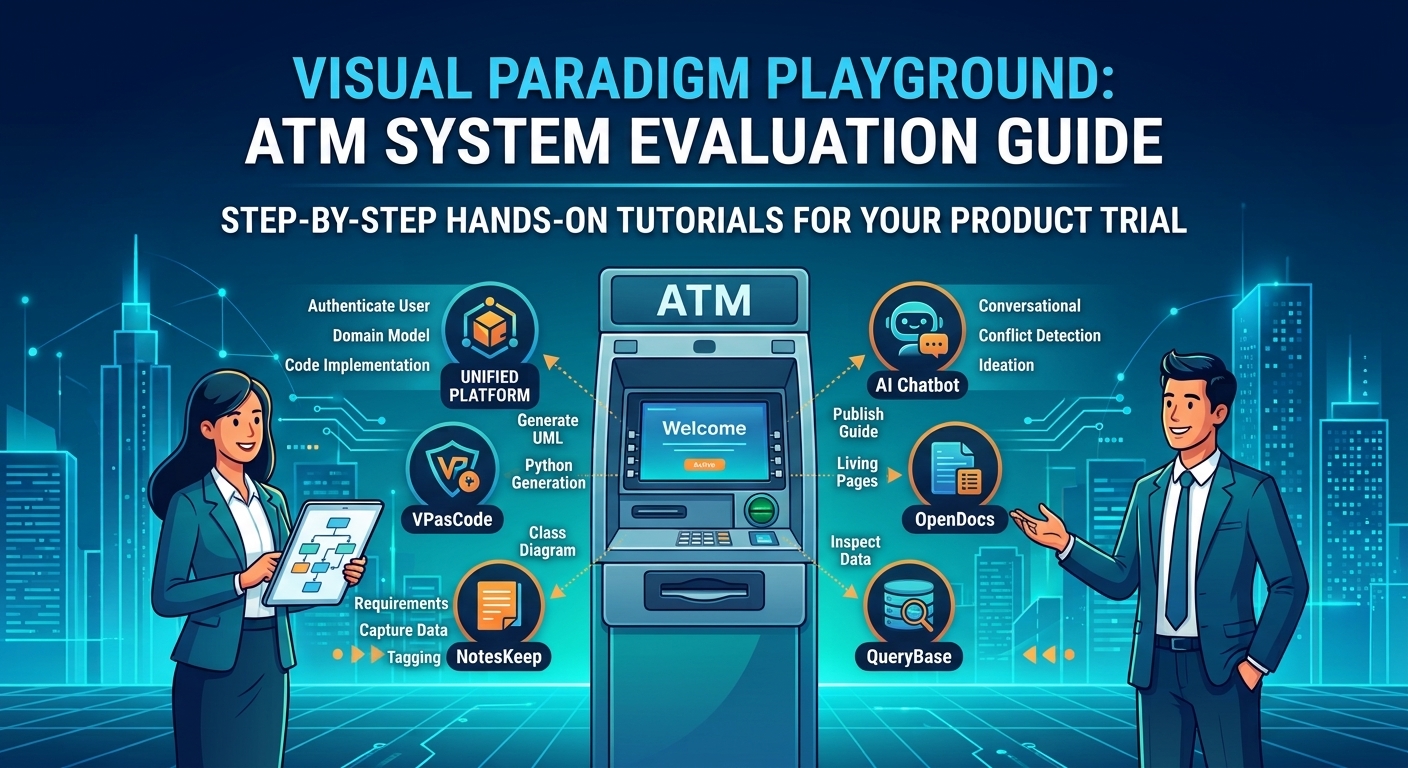
Your evaluation journey covers seven interconnected applications within the Visual Paradigm Ecosystem. Each tool addresses a specific phase of the software engineering lifecycle:
Unified Platform: The central workspace hub and drive directory managing your projects, artifacts, and cross-app navigation.
VPasCode: A diagrams-as-code environment allowing you to generate UML models instantly using text syntax (PlantUML) and generative AI.
NotesKeep: An agile scratchpad and repository for capturing unstructured meeting minutes, whiteboard snapshots, and requirements.
AI Chatbot: An intelligent conversational co-pilot capable of analyzing notes, detecting requirement conflicts, and generating technical models from prompts or images.
OpenDocs: A modern documentation wiki designed to publish living system pages dynamically linked to your live architectural models and pipelines.
QueryBase: A powerful enterprise data tool enabling you to query, browse, and extract structural JSON modeling data committed from desktop repositories.
Recommended Evaluation Path
While you can explore the applications in any order based on your role or interest, we recommend following this structured sequence for the most cohesive evaluation experience:
Unified Platform: Familiarize yourself with the central dashboard, project file views, and app pinning.
VPasCode: Experience rapid diagram creation via code scripting and AI modifications.
NotesKeep & AI Chatbot: Explore how unstructured, conflicting meeting notes can be analyzed and synthesized by AI.
OpenDocs: Learn how to embed live diagrams into structured technical documentation spaces.
QueryBase: Inspect cloud-committed modeling data using hierarchical and relationship queries.
Ready to begin? Head over to the next chapter to explore the Unified Platform hub or dive directly into your app of choice!