What is NotesKeep?
NotesKeep is an agile knowledge capture tool designed to store unstructured information—such as meeting minutes, stakeholder feedback, whiteboard snapshots, and raw technical requirements—directly inside your Visual Paradigm workspace. It acts as the primary scratchpad and research repository before formal models or documentation are generated.
Understanding the Interface
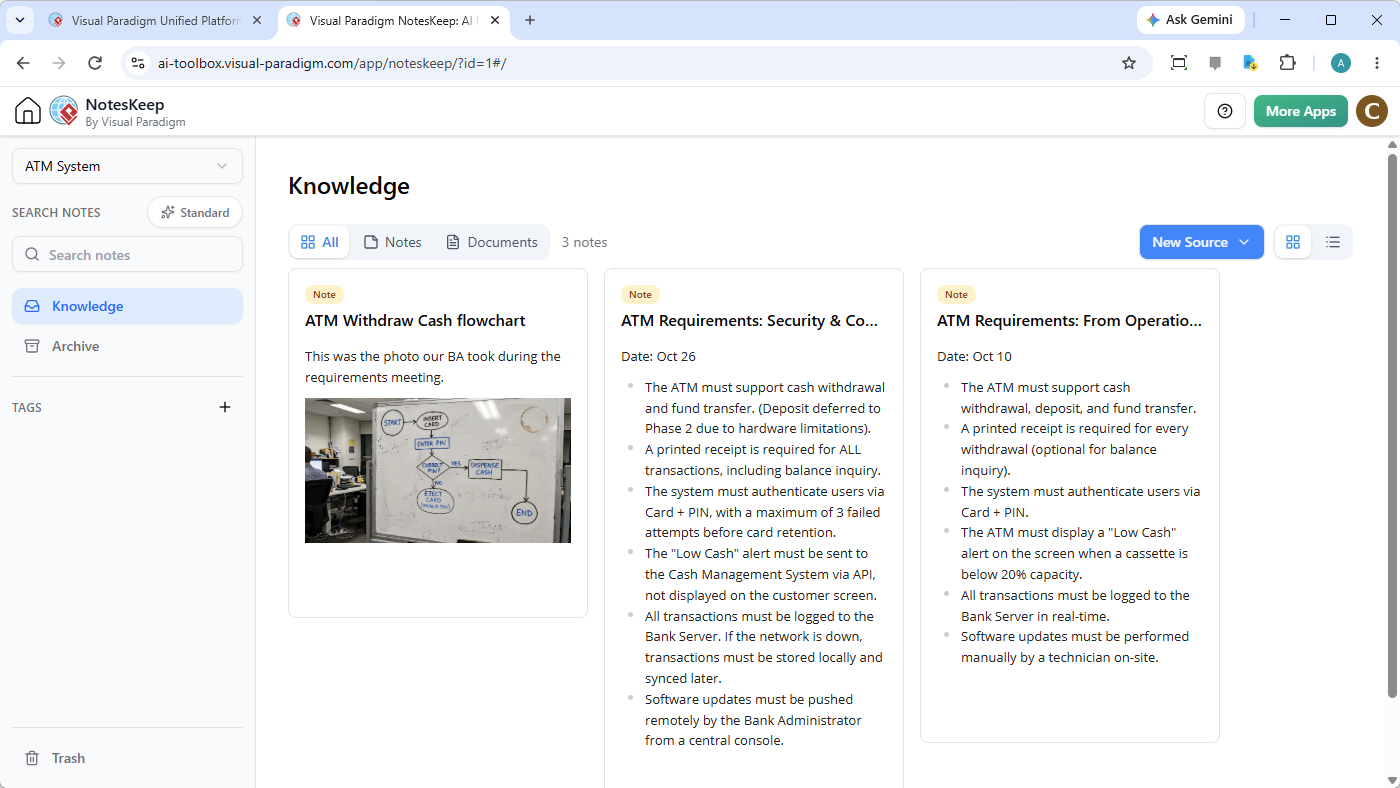
When you open NotesKeep, the workspace is organized into three primary areas:
- Navigation & Tagging Panel (Left): Filters your notes by folders, creation dates, or applied tags (e.g.,
#requirements, #security).
- Note List Pane (Middle): Displays all active note cards within the selected project or space.
- Rich Editor & Media Viewer (Right): Your active editing area, supporting rich text formatting, image attachments, file embeds, and tag assignment.
What Can You Achieve with NotesKeep?
- Centralized Knowledge Capture: Keep scratchpad notes, stakeholder ideas, and meeting whiteboards organized in one place alongside your project architecture.
- Cross-Note AI Context Synthesis: Feed unstructured, multi-date meeting notes into the AI Chatbot to detect conflicting requirements, track scope changes, and consolidate decisions.
- Seamless Transition to Formal Documentation: Turn raw notes into structured documents, system requirements, or visual models as your project matures.
Exploring the Pre-Loaded ATM Workspace
To help you evaluate NotesKeep immediately without needing to manually build a project repository from scratch, we have pre-populated your Playground workspace with three realistic sample artifacts representing requirements collected during different stages of the ATM System project:
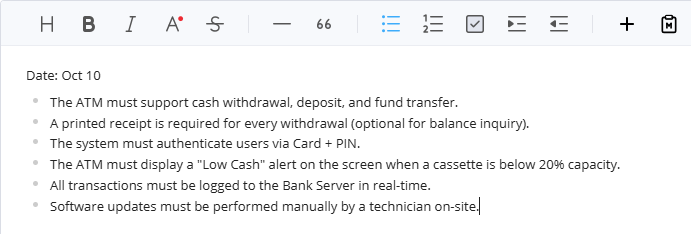
ATM Requirements: From Operations Team (Oct 10): Initial operational notes emphasizing customer features, cash alerts, and manual maintenance routines.
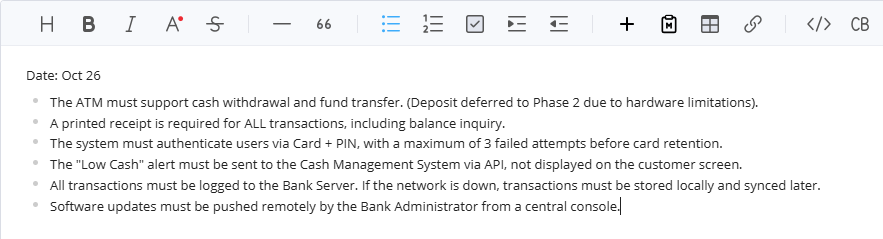
ATM Requirements: Security & Compliance Review (Oct 26): Updated notes from a security review conducted two weeks later, introducing stricter controls and modified workflows.
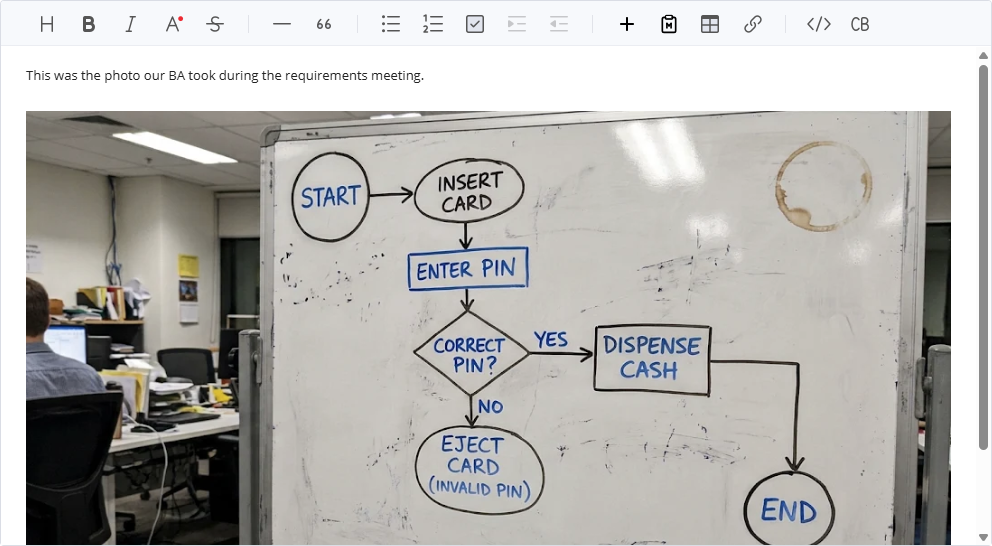
ATM Withdraw Cash flowchart: A photo of a whiteboard diagram captured during an early business analyst (BA) kickoff session.
Key Concept: Real-World Information Conflicts
In software projects, requirements rarely remain static. As you examine the two requirement notes above, notice that they contain conflicting instructions across several critical areas (such as cash deposit availability, receipt policies, alert mechanisms, and software update methods). These intentional discrepancies simulate real-world project evolutions where newer stakeholder reviews override legacy operational rules—setting up the exact scenario we will analyze using AI in the next section.
Hands-On Task 1: Basic Operations (Writing, Uploading & Tagging)
Before testing the AI integration, take a few minutes to familiarize yourself with note creation and document ingestion. NotesKeep accepts both manually typed notes and uploaded PDF/office documents, automatically parsing their contents into your project knowledge base. (Note: Adding notes or uploading documents in this section is an optional hands-on exercise and will not interfere with the pre-configured AI analysis exercises below.)
Creating a Manual Note
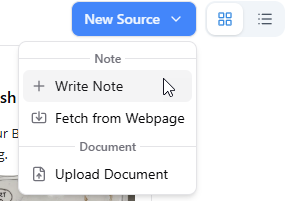
- In NotesKeep, click the + New Source button at the top right of the middle pane, and then select Write Note from the drop-down menu.
- Set the title to:
ATM Operations Scratchpad.
- In the body editor, enter:
Daily settlement reconciliation must occur at 23:59 UTC automatically.
- In the Tags field at the bottom of the editor, type
#operations and press Enter.
Uploading a PDF Document (Document Management System)
Rather than retyping hardware datasheets or vendor spec sheets, you can upload external files directly into NotesKeep. Before we start, let’s download a sample PDF here.
- Select Upload Document under the + New Source button (or drag and drop your file into the note list pane).
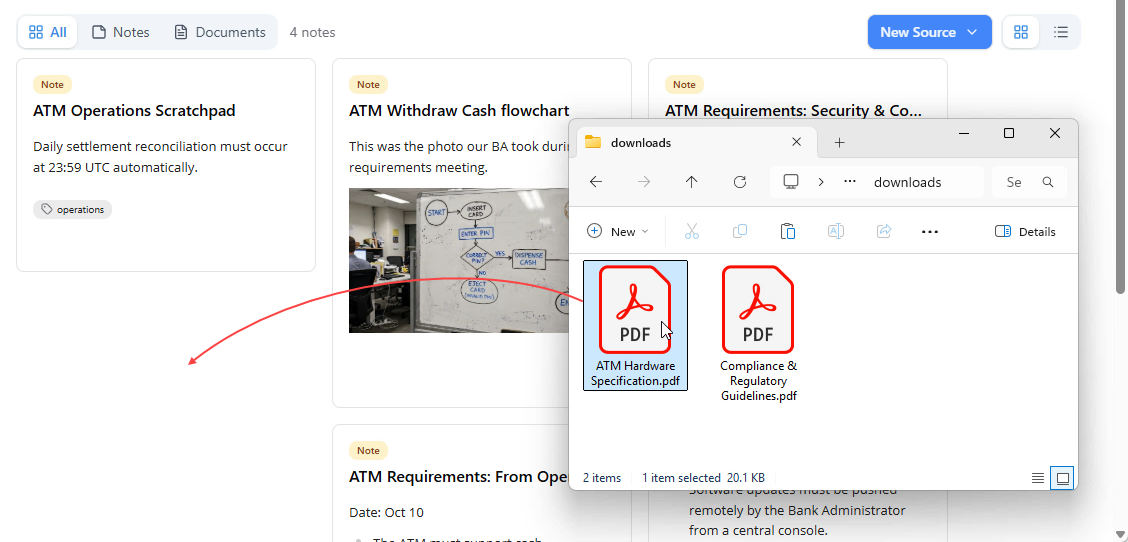
- Once uploaded, NotesKeep automatically creates a new document entry titled
ATM Hardware Specification.
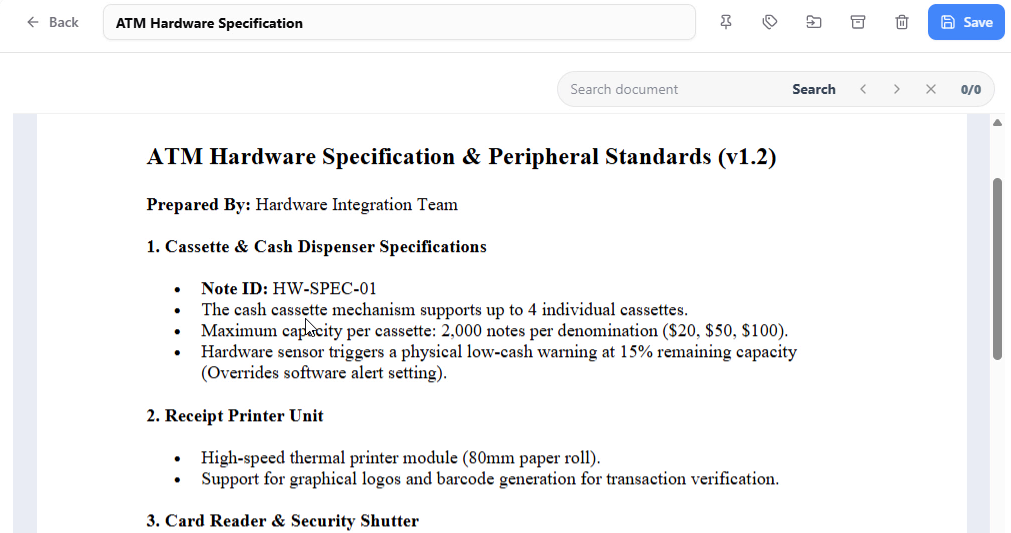
- Open the newly parsed document, click the Tags field, and assign the tag
#hardware.
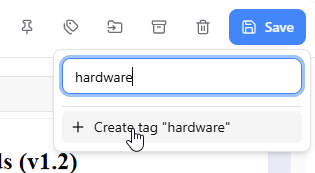
- Observe the left panel: selecting
#hardware instantly filters your workspace view to show all hardware-related files and notes.
Hands-On Task 2: AI Knowledge Analysis via AI Chatbot
The true power of NotesKeep lies in its seamless integration with the AI Chatbot. Unstructured notes often contain conflicting information collected from different teams over time. Instead of reading through dozens of pages manually, you can ask the AI assistant to analyze, compare, and resolve discrepancies across your note repository.
Opening the AI Chatbot
- From the top application switcher in the Unified Platform, launch AI Chatbot (or select More Apps > NotesKeep at the top right of NotesKeep).
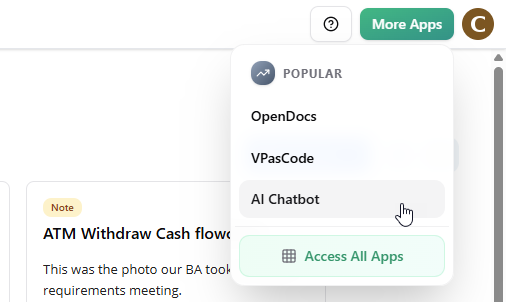
- Ensure the context scope for the chatbot is set to the current project:
ATM System. Do do this, click on Search in NotesKeep at the bottom of the chat window. Select ATM System to be the project, and Any knowledge to be the scope.

Phase 1: General Context & Search (Warm-up)
Test the AI’s ability to read and understand the contents of your notes.
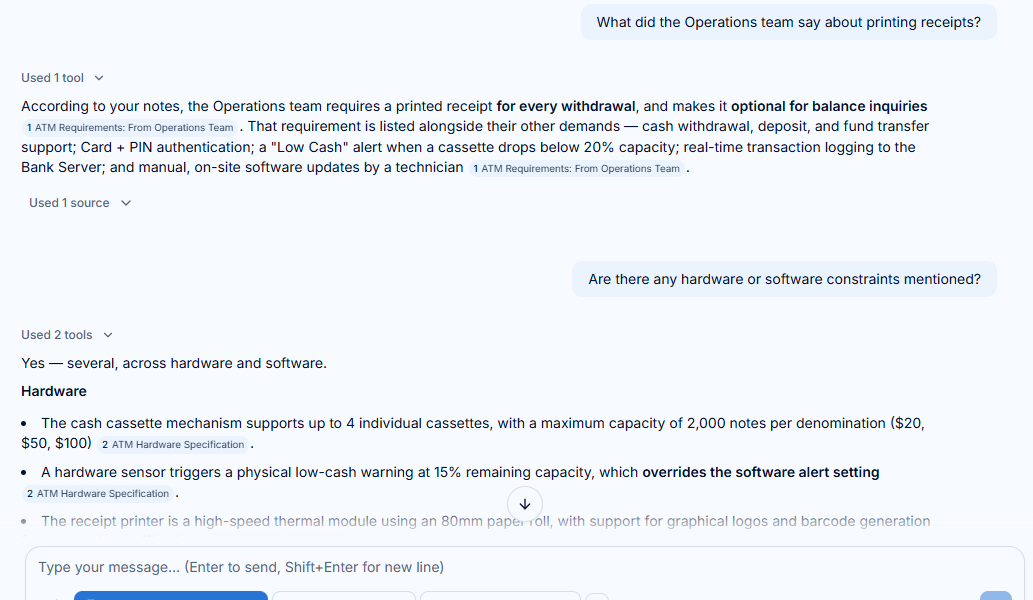
- Prompt 1:
What did the Operations team say about printing receipts?
Expected Result: The AI quotes the Oct 10 note, highlighting that receipts are required for withdrawals but optional for balance inquiries.
- Prompt 2:
Are there any hardware or software constraints mentioned?
Expected Result: The AI highlights on-site manual software updates (Oct 10 note) and the deferred deposit feature due to hardware limitations (Oct 26 note).
Phase 2: Consolidation & Conflict Detection
Evaluate how the AI synthesizes disparate sources and handles temporal changes (older vs. newer notes).
- Prompt 1:
Compare the two requirement notes. What are the main conflicts or changes between them?
Expected Result: The AI generates a comparison showing conflicts across Cash Deposit (Included vs. Deferred), Receipts (Optional vs. Mandatory), Low Cash Alert (Screen display vs. API notification), and Software Updates (Manual on-site vs. Remote push).
- Prompt 2:
Create a consolidated list of requirements. For any conflicting points, assume the newer Security & Compliance note (Oct 26) takes precedence.
Expected Result: The AI builds a single, unified list reflecting all Oct 26 security policies over the Oct 10 operational rules.
- Prompt 3:
Based on the Oct 26 note, what happens if a customer enters the wrong PIN three times?
Expected Result: The AI confirms that the ATM will retain the card after 3 failed attempts.
Phase 3: Automated Deliverable Generation
Transform raw notes directly into structured executive outputs.
- Prompt 1:
Draft a formal 'Project Scope & Conflict Resolution' document based on these notes. Format it with an Executive Summary and a table comparing the old vs. new requirements.
Expected Result: The AI produces complete, structured document text complete with a markdown comparison table ready to export.
- Prompt 2:
What are the next steps or Phase 2 items based on this notes collection?
Expected Result: The AI explicitly lists Cash Deposit capability and hardware upgrades under Phase 2.